People and workWorkplace

Visitors, desk and room booking, facility requests and IT assets for offices, factories and campuses.

Workplace runs the front desk, the office floor and the facilities team in one app. Employees invite visitors, book desks and rooms, plan their hybrid week and report facility issues. Reception works from a front-desk tablet, and facility admins manage buildings, a work-request help desk, cafeteria, shuttle and an IT asset register linked to Books.

Key capabilities

  • Visitor invites, kiosk check-in and badges
  • Material gate passes and parcel log
  • Desk, room and parking booking on floor plans
  • Hybrid week planner and who is in
  • Facilities help desk with SLAs
  • IT assets, licences and audits

My workplace

Each employee’s day at the office in one place: their desk, visitors, parcels, requests and assets.

  • Today’s desk, expected visitors, parcels waiting, open requests and assigned assets
  • My bookings across desks, rooms and parking
  • Report a facility issue with a photo
  • My assets with acknowledgement on check-out

Desks, rooms and hybrid work

Booking rules per building, a floor plan to book from, and a week planner for hybrid teams.

  • Hot, assigned and team-restricted desks, plus parking spots
  • Room timeline with recurrence, buffers and approval-required rooms
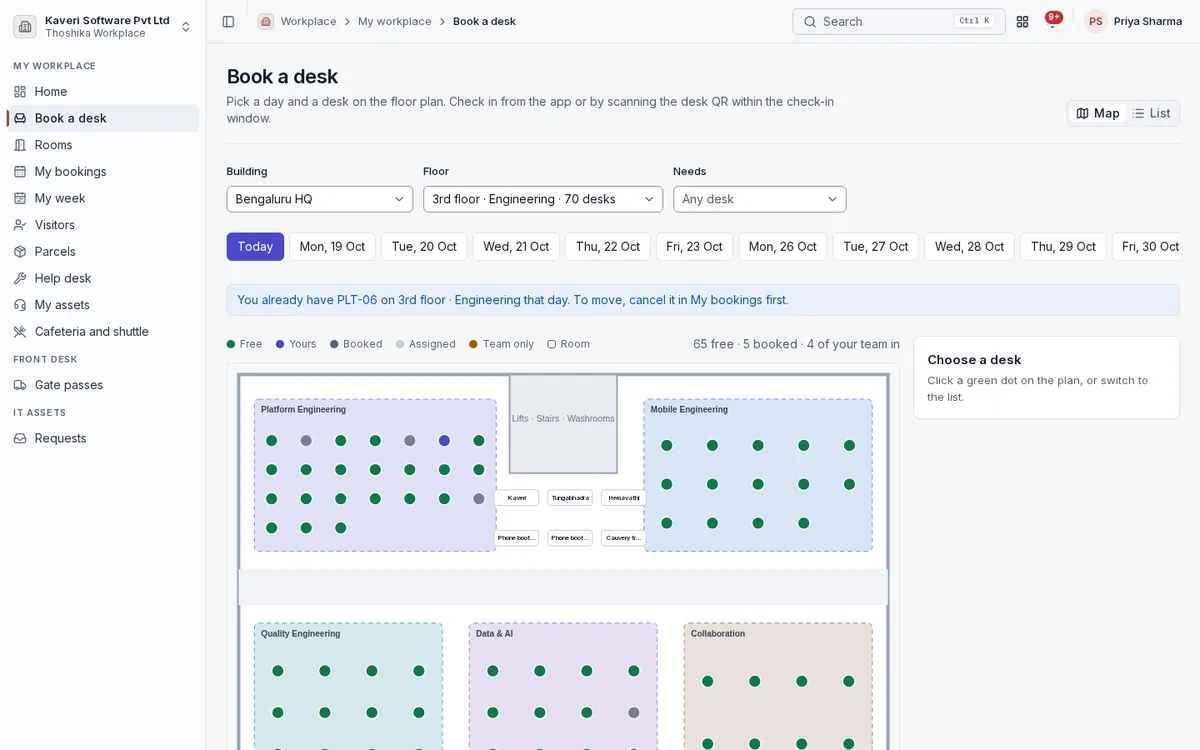
  • Check-in by button or QR, with automatic release of no-shows
  • Desk map by floor showing free, booked and teammates’ desks
  • Week planner for office, home, leave and travel days, with patterns that book automatically
  • Who is in the office on a day, and where they sit
  • Room display tablets outside meeting rooms

Visitors

Hosts pre-register visitors, who can complete their details before arriving. Reception or a kiosk checks them in.

  • Invitations with a QR code and check-in code
  • Visit types for guests, interviews, vendors, contractors and VIPs
  • Photo, ID type and last four digits, NDA and safety briefing at check-in
  • Badge PDF for any printer and host notification on arrival
  • Walk-in approvals by the host, with a two-hour target
  • Repeat visitors recognised and pre-filled

Front desk

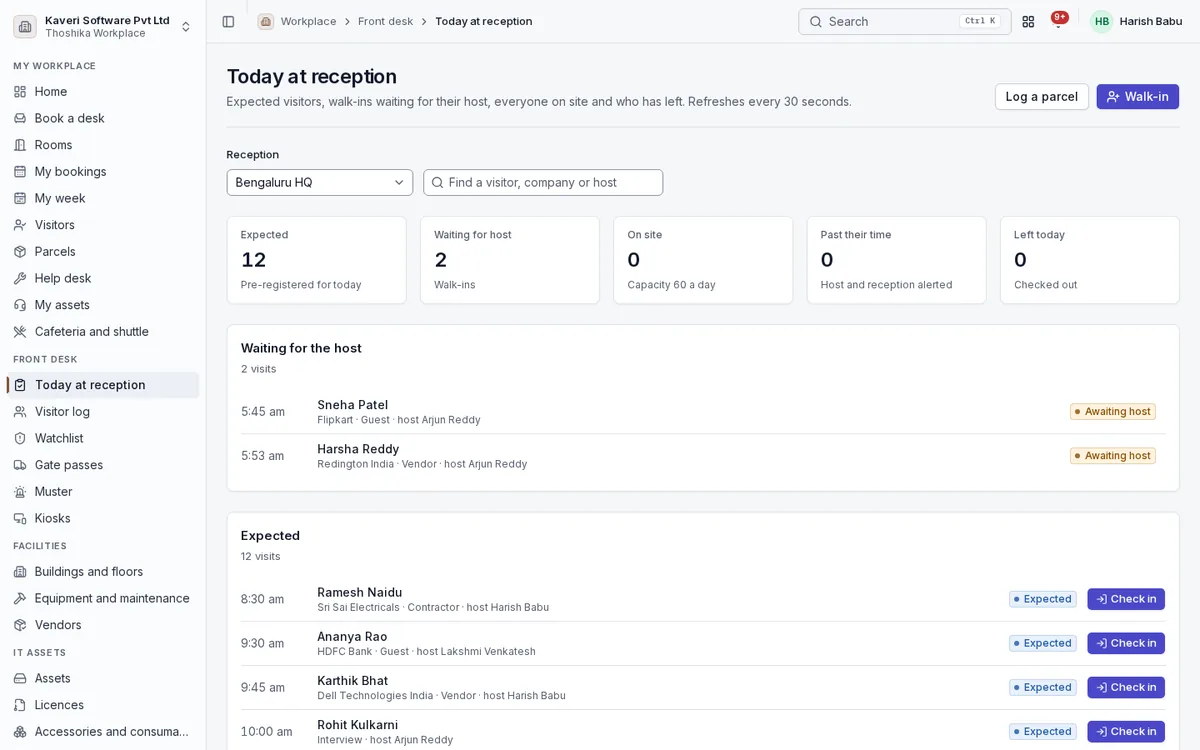
Reception sees the day at a glance and keeps the records a security desk needs.

  • Today at reception: expected, waiting for the host, on site, past their time and left
  • Visitor log with CSV export, watchlists and capacity limits
  • Parcel log with photo, recipient notification and pickup proof
  • Returnable and non-returnable material gate passes with approval and partial returns
  • Evacuation muster list per building with mark-safe and PDF
  • Kiosk tablets for self check-in, enrolled as shared devices

Buildings and floors

Each building belongs to a People location and carries its own floors, zones and rules.

  • Floors with zones, desks, parking spots and rooms
  • Floor plan editor with drag-and-drop, from a generated or uploaded plan
  • Team neighbourhoods from People org units
  • Booking rules and working days per building

Facilities help desk and maintenance

Work requests with targets by category and priority, and preventive maintenance for building equipment.

  • Requests for housekeeping, electrical, AC, plumbing and more
  • Response and resolution SLAs with breach flags and escalation
  • Facility vendors and AMC end dates
  • Equipment register with preventive maintenance plans and work orders
  • Equipment QR codes that open a pre-filled request
  • Photos on requests and a rating on close

Cafeteria and transport

Simple campus services for meal planning and shuttles.

  • Daily menus per building with meal opt-in for headcount
  • Shuttle routes, stops and timings
  • Seat booking per trip with capacity limits

IT assets

An asset register with check-out to people, licences with seats and audits by scanning.

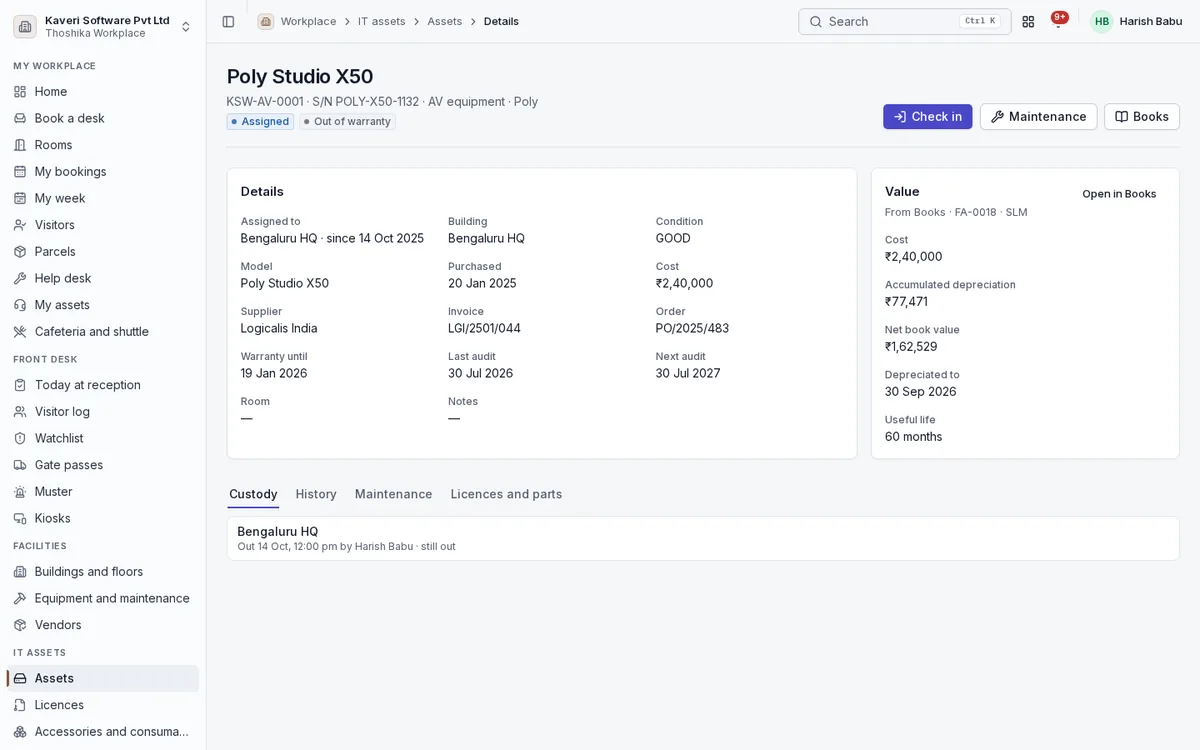
  • Assets with tags, models, categories, statuses and custom fields
  • Check-out and check-in with employee acknowledgement and custody history
  • Book value and depreciation from the linked Books fixed asset
  • Licences with seats, accessories, consumables and components
  • Asset requests with approval, and asset kits checked out as one bundle
  • Audit sessions by scanning, warranty, maintenance and QR label sheets
  • Return-due dates set automatically when an employee exits

Reports and settings

Occupancy, visitor, help desk and asset reports, and the settings behind them.

  • Reports on bookings, visits, tickets and assets
  • Facility admins and reception limited to their locations
  • Approval chains for walk-ins, rooms, gate passes and asset requests
  • Notice text and retention for visitor data
Screens

Workplace in the product

India

Indian rules, built in

Workplace follows Indian front-desk practice and collects only the identity data it needs.

How Thoshika handles Indian compliance

  • ID capture limited to type and last four digits; full Aadhaar numbers are refused
  • DPDP notice and consent on the invitation page and kiosk, with retention-based purging
  • Indian mobile numbers, PIN codes and GSTIN checks on vendors
  • Material gate pass format common in Indian factories
  • State holidays from People
Mobile

Workplace on Android and iOS

Workplace is in the Thoshika app for employees and reception, with a kiosk mode for the front desk.

About the mobile apps

On the phone

  • Today’s desk, visitors and requests
  • Book a desk or a room
  • Invite visitors and approve walk-ins; reception sees today’s arrivals and checks people in and out
  • Scan a desk QR to check in, or scan assets during an audit
  • Report an issue with a photo
  • My assets with acknowledgement, and kiosk mode on a shared tablet
Who uses it

Roles in Workplace

Every person signs in once. Roles decide what they see, and can be limited to a location, branch or other scope where the app supports it.

Employee

Books desks and rooms, plans the week, invites visitors, raises requests and acknowledges assets.

Reception

Checks visitors in and out, logs parcels, marks gate passes and runs the muster.

Facility admin

Manages buildings, booking rules, the help desk, vendors, equipment and IT assets.

Manager

Approves gate passes and asset requests and sees the team’s hybrid plan.

See Workplace with your own processes

Workplace is available on its own or as part of Thoshika One, with every app for every employee.