Chat
Public, private and announcement channels, direct messages and group messages, with the everyday tools teams expect.
- Threads, reactions, mentions, pins and channel bookmarks
- Read receipts, unread counts and edit or delete within the company’s rules
- Presence, custom status and do-not-disturb schedules
- File and image sharing with previews
- Slash commands such as /leave, /approve, /invoice and /remind
- Scheduled send and incoming webhooks
Threads, activity and saved items
Keep up with the conversations that involve you without reading every channel.
- Followed threads with unread replies
- Activity feed of mentions, reactions to your messages and thread replies
- Saved items, in progress or done, with reminders
Search, channels and people
Find messages, channels and colleagues from one place.
- Full-text search with filters by channel, person, date and files
- Channel directory to preview, join or create channels
- People directory with presence, to start a message or a call
- Previews of Thoshika records pasted into a conversation
Channels that follow your company
Sangam creates and maintains channels from other Thoshika apps, so membership stays right without manual upkeep.
- General and announcement channels for everyone
- Team channels from People org units
- Project channels from Projects, archived when the project completes
- Deal channels from CRM on request
- Escalation channels from Support tickets
- Shared channels between companies
Approvals and notifications in chat
Every approval task from the platform arrives as a card. Deciding in chat follows the same rules as the inbox.
- Approve or reject leave, expenses, invoices and other requests from a card
- Cards update for everyone once a task is decided anywhere
- App notifications delivered to a personal bot conversation
- Per-person control over which notifications reach Sangam
Calls
One-to-one and small group calls connect peer to peer; larger calls move to Thoshika’s own media server.
- Audio and video calls from any conversation or the people directory
- Screen share, raise hand and in-call chat
- Noise suppression, background blur and network quality indicators
- Incoming calls ring like phone calls on Android and iPhone
- Call history
Meetings
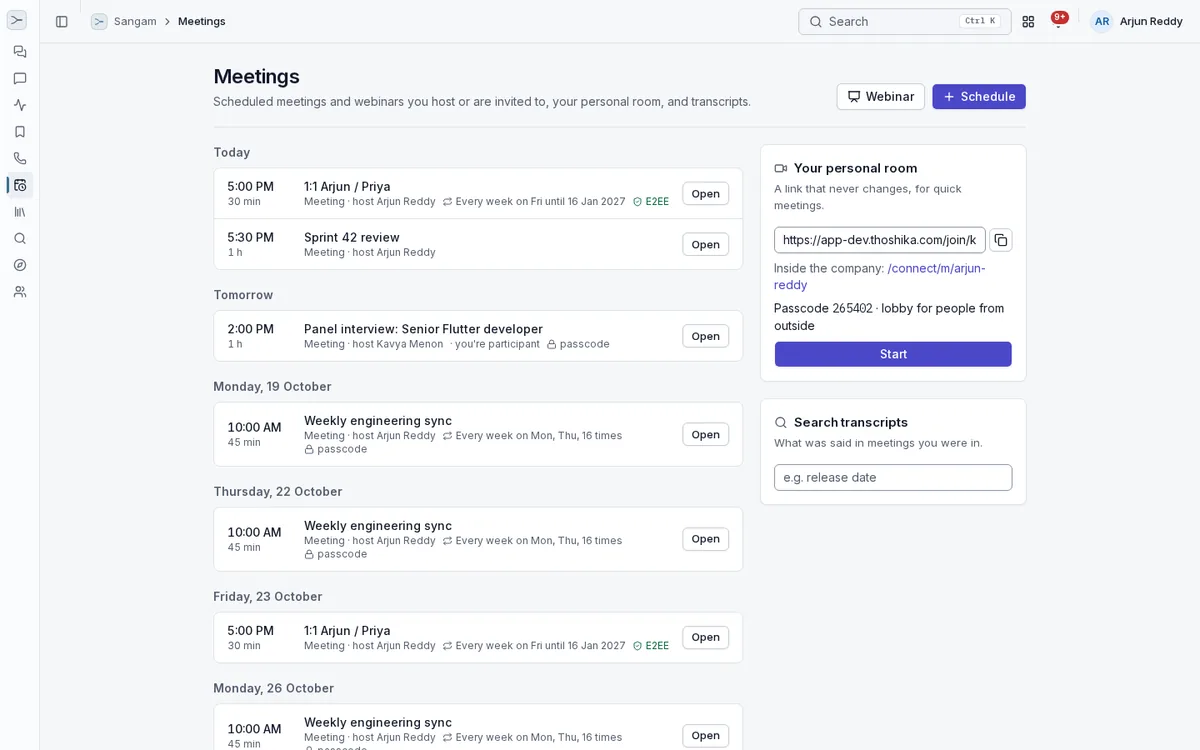
Scheduled and recurring meetings with the host controls of a dedicated meetings product.
- Scheduled and recurring meetings with calendar invites and a personal room link
- Lobby, passcodes, host and co-hosts, lock, mute all and removal
- Speaker, gallery and sidebar layouts, spotlight and pin
- Breakout rooms with a timer, broadcast and return
- Polls, questions and answers with upvotes, reactions, whiteboard and shared notes
- End-to-end encryption for meetings of up to 25 people
- Guests join from a link without an account
Webinars
Larger sessions with panelists on stage and a view-only audience.
- Practice session before the webinar starts
- Panelists and view-only attendees
- Promote an attendee who raises a hand
- Attendance and engagement reports as CSV and PDF
- Live streaming and language interpretation channels
Recordings, captions and transcripts
A record of what was said, kept for the company’s retention period.
- Cloud and local recordings with chapters
- Live captions in English and Hindi, and translated captions
- Searchable transcripts of meetings you were in
- Recordings, transcripts, notes and attendance reports in one library
- Meeting files filed in Documents
Administration and compliance
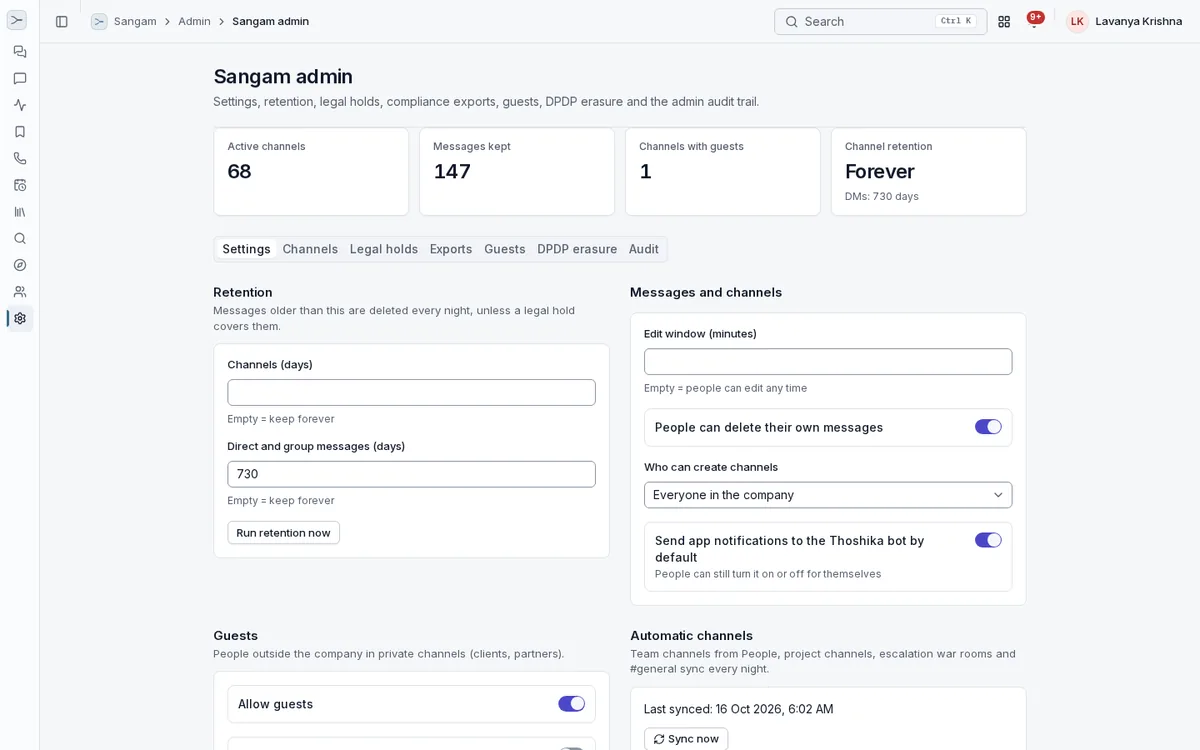
Controls for companies that need to keep, hold or remove conversation data.
- Retention policies for the company and per channel
- Legal holds by person, channel and date range
- Compliance export of messages, edits and held deletions
- Admin audit log of channel, membership and policy changes
- Guests limited to the channels they are invited to
- Erasure of a person’s messages on request
- Data loss prevention for PAN, Aadhaar and account numbers
Desktop app
Sangam for Windows, macOS and Linux runs the same chat, calls and meetings as the browser.
- Native notifications and an unread count in the tray
- Closes to the tray so messages and calls keep arriving
- Camera, microphone and screen share
- Meeting and conversation links open in the app
- Automatic updates