Dashboard and the stock engine
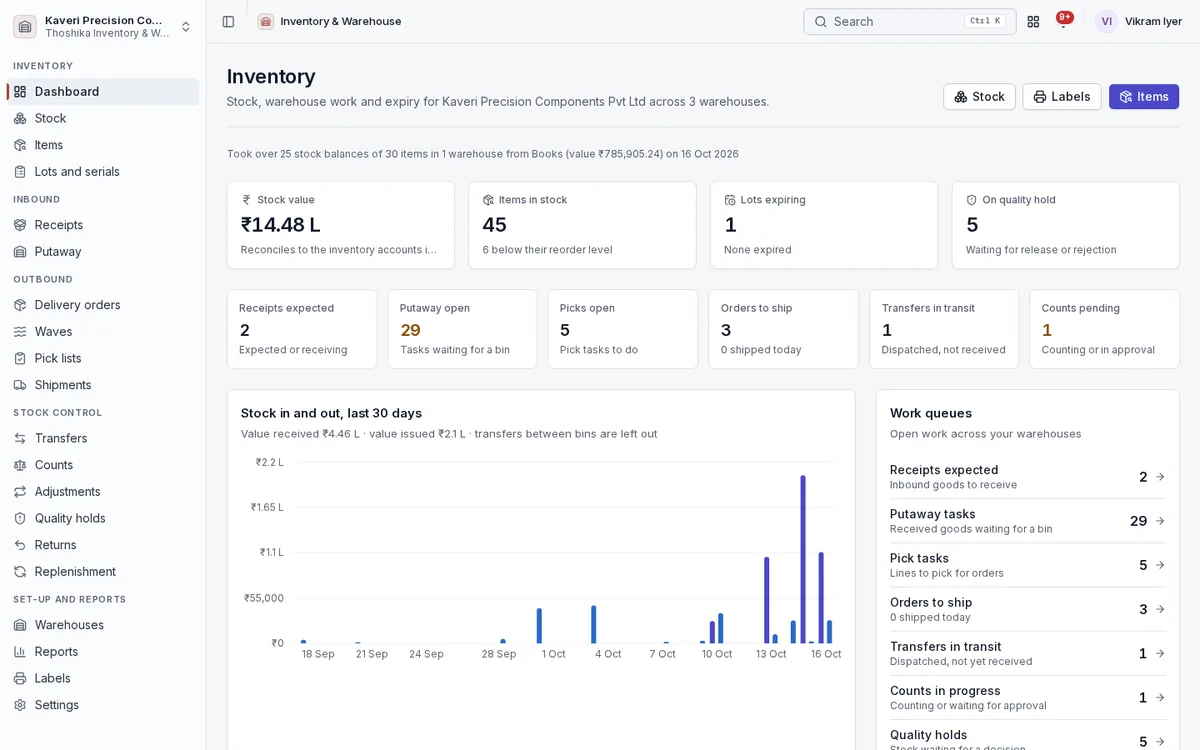
Books, Manufacturing, POS, Procurement and Maintenance all read and move stock through the same ledger, and the dashboard shows the state of every warehouse at a glance.
- Stock value, items below reorder level, expiring lots and stock on quality hold
- Work queues for receipts, putaway, picks, shipments, transfers in transit, counts and holds
- Immutable movement ledger by item, warehouse, bin and lot
- Available stock excludes reserved, quarantined, held, in-transit and expired quantities
- Adopts existing Books stock at the same values when switched on
Stock, items and lots
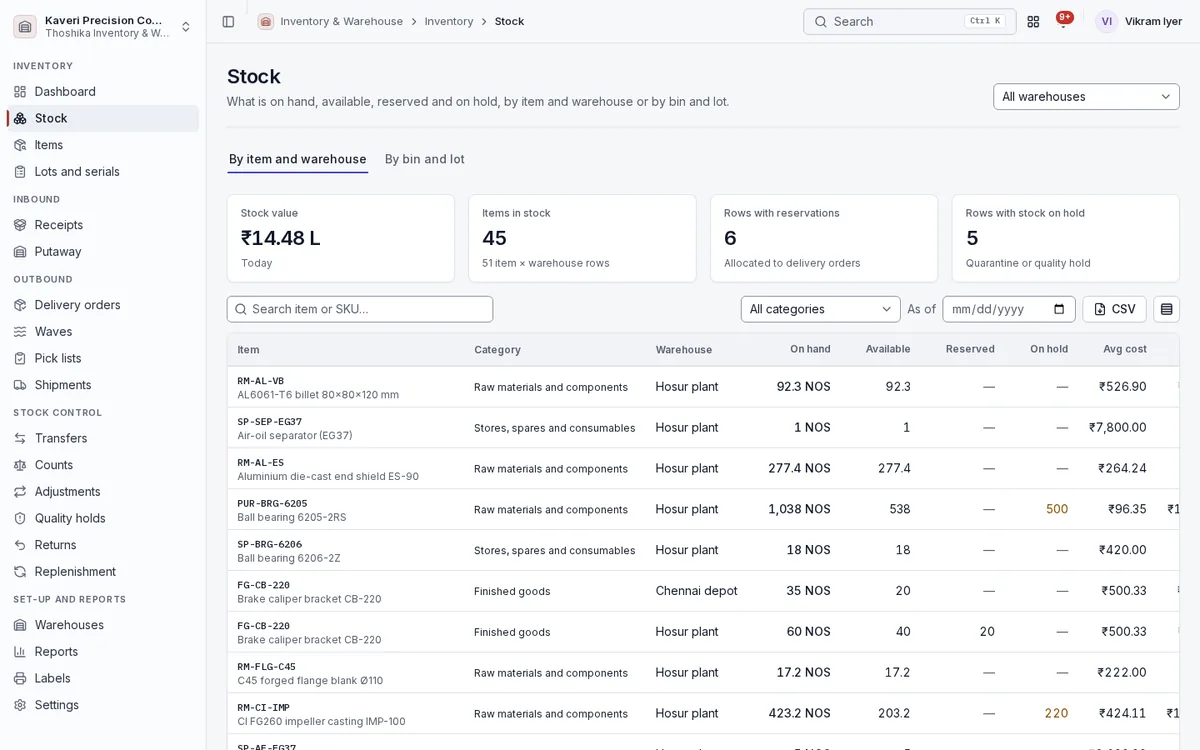
See what is on hand by item and warehouse or by bin and lot, and know which batch went where.
- On hand, available, reserved and on hold, as of any date, with CSV export
- Units of measure with conversions and pack barcodes
- Item variants and matrix items with their own SKUs
- Bundle kits that explode on issue, and assembled kits built into stock
- Batch and serial tracking with manufacturing and expiry dates, and FEFO picking
- Traceability from lot to supplier, bins, customers and manufacturing orders
Receipts and putaway
Receive against what you expect and put it away to the right bin.
- Expected receipts with ASN and vehicle; receiving creates the Books goods receipt
- Quality check on receipt, sending doubtful stock to quarantine
- Putaway rules: fixed bin, same item, empty bin or zone by category
- Putaway tasks confirmed by scanning bin and item
- Cross-docking straight from receiving to dispatch
Delivery orders, waves, picking and shipping
Run dispatch as scan-confirmed tasks, from allocation to the carrier.
- Allocation and reservation by FEFO or FIFO with backorders
- Waves with zone, batch or discrete pick lists in bin order
- Pick lists assigned to pickers, with progress by line
- Packing into cartons, packing slips, shipping labels and carrier tracking numbers
- Shipping raises the Books delivery challan or invoice
- Drop-shipping from the supplier to the customer’s address
Transfers
Move stock between bins and warehouses with the right document for each move.
- Bin-to-bin and warehouse-to-warehouse transfers
- Dispatch and receive steps with stock in transit in between
- Delivery challan or tax invoice chosen by whether the warehouses share a registration
- Transfer suggestions from replenishment
Counts and adjustments
Keep the numbers honest with regular counts and approved corrections.
- Cycle counts by zone, bin, category or ABC class, blind if you prefer
- Full physical counts with bin freeze
- Recount of lines beyond tolerance
- Adjustments with reason codes, and count variances approved above a threshold with a second level for finance
- Stock journals posted to Books for every adjustment
Quality holds and returns
Keep doubtful stock out of circulation and handle returns in both directions.
- Holds on stock, a lot or a bin with a reason, released to stock or rejected
- Recall puts every bin of a lot on hold and lists the customers who received it
- Customer returns with inspection and Books credit notes
- Returns to vendors with debit notes
Replenishment
Keep shelves stocked with rules you control.
- Reorder point, min/max and safety stock per item and warehouse
- Purchase or transfer suggestions, sent to Procurement as requisitions
- Demand forecasting to set reorder levels
- ABC analysis that drives how often each item is counted
Warehouses, zones and bins
Model your sites the way they are laid out, down to the shelf.
- Warehouses, plants and depots with a tax registration and manager
- Default zones and bulk-created bins
- Bin capacity by quantity, weight or volume, and pick sequence
- Bin utilisation per warehouse
Valuation and reports
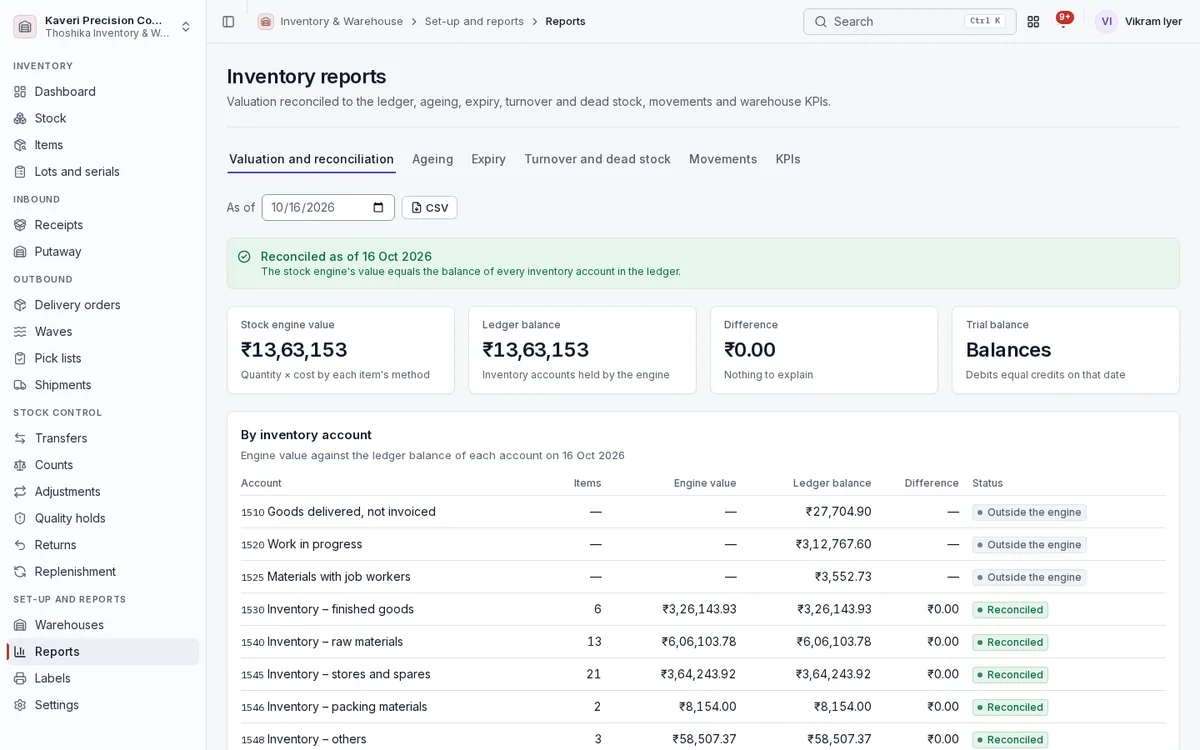
Value stock the way your accounts need, and prove it matches the ledger.
- FIFO, weighted average or standard cost per item
- Inventory accounts per category or item, by balance sheet class
- Valuation by account reconciled to the ledger as of any date
- Stock summary, stock card, movement register, ageing, expiry, turnover, dead stock, fill rate and count accuracy
- CSV export everywhere
Labels and settings
Print the labels the floor needs and set the rules once.
- Item, bin, lot, carton and shipping labels with Code 128 and QR codes
- 50×25 mm roll, 100×50 mm and A4 sheet sizes
- Valuation methods, categories and inventory accounts
- Shared handhelds enrolled by QR code, with staff switching by PIN or badge