Dashboard and portfolio
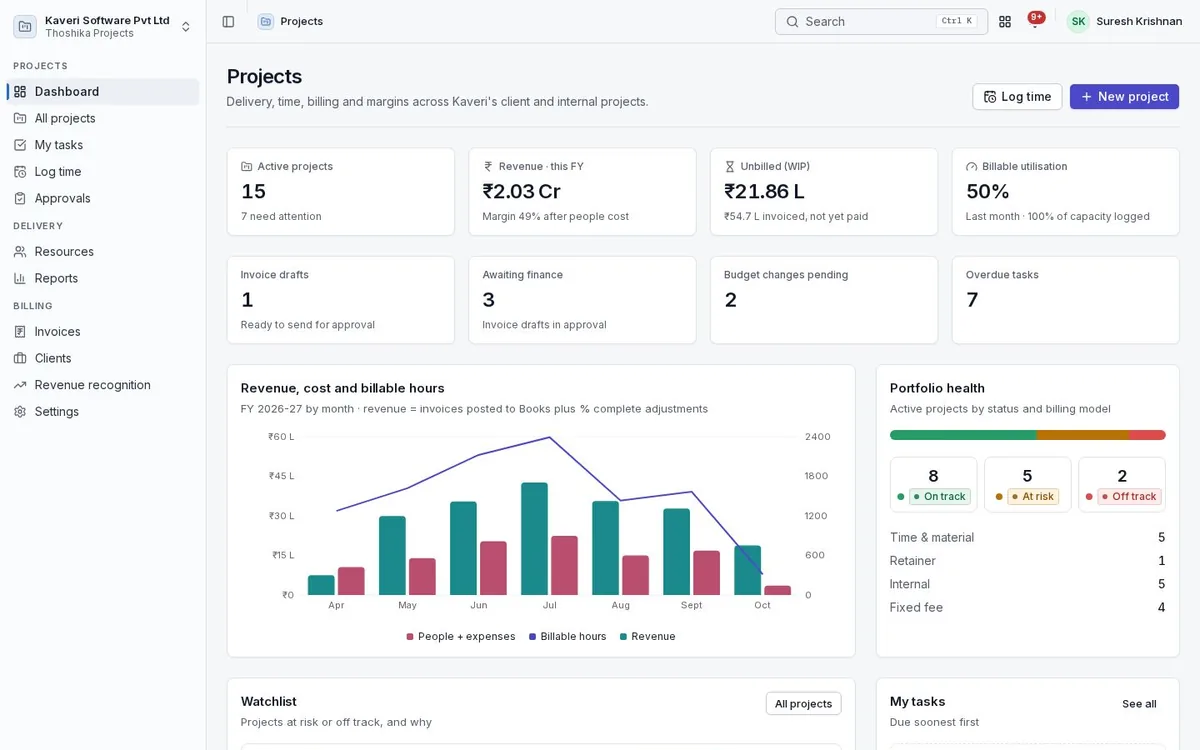
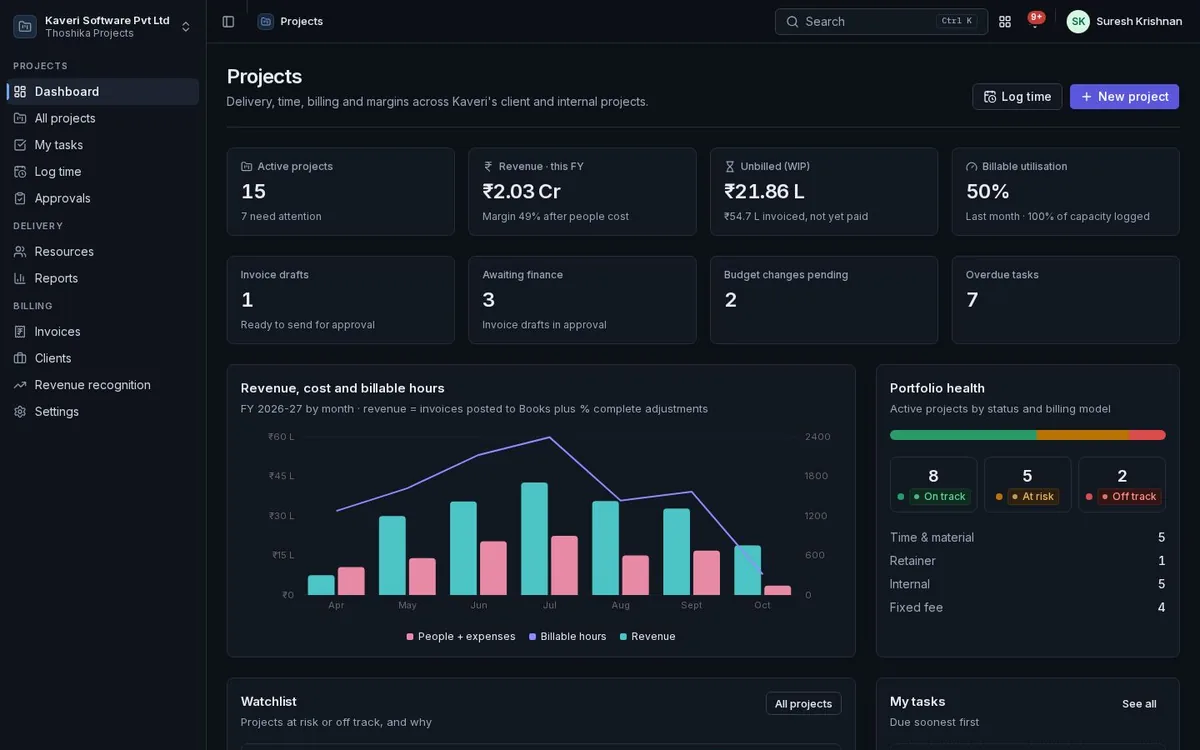
One view of every project’s health, burn, margin and unbilled work.
- KPIs, my tasks, project health, utilisation, unbilled work and pending approvals
- Portfolio list filtered by status, billing model, manager and client
- Daily health from budget burn, schedule and margin, with the reason shown
- Start a project from a template with dates shifted to the new start
Projects and clients
Each project carries its client, billing model and budgets. Clients are Books customers when Books is on.
- Fixed fee with milestones, time and material with a not-to-exceed cap, retainers and internal projects
- Budgets in hours, cost and revenue, with warnings at 80% and 100%
- Purchase order reference, payment terms and expense markup per project
- Clients list with their projects and billing
- Budget change requests with approval and history
- Multi-currency projects
Tasks, boards and Gantt
Plan and track the work in the view that suits the team.
- Tasks and subtasks with assignee, status, priority, dates, estimate and billable flag
- List, kanban board and Gantt views
- Finish-to-start, start-to-start, finish-to-finish and start-to-finish dependencies with lag
- Milestones with billing amounts and completion from their tasks
- Baseline Gantt to compare the plan with progress
- My tasks across projects, with due-date and budget notifications
Time and approvals
Time is logged once, on the People timesheet, and approved hours flow into project billing.
- Log time from a task, the week grid or the mobile app
- Manager approval in People stays the approval of record
- Billable or non-billable per project, task and team member
- Write-offs and write-downs before invoicing, with a reason
- Approvals for timesheets, budget changes and invoice drafts
Rates, cost and expenses
Bill rates from rate cards and cost rates from salaries, without exposing anyone’s pay.
- Rate cards by person, project role or grade, effective-dated
- Hourly cost from People compensation plus an overhead loading
- Per-person cost visible only to admins and finance
- Approved expense claim lines tagged to a project, billable with markup
Resources
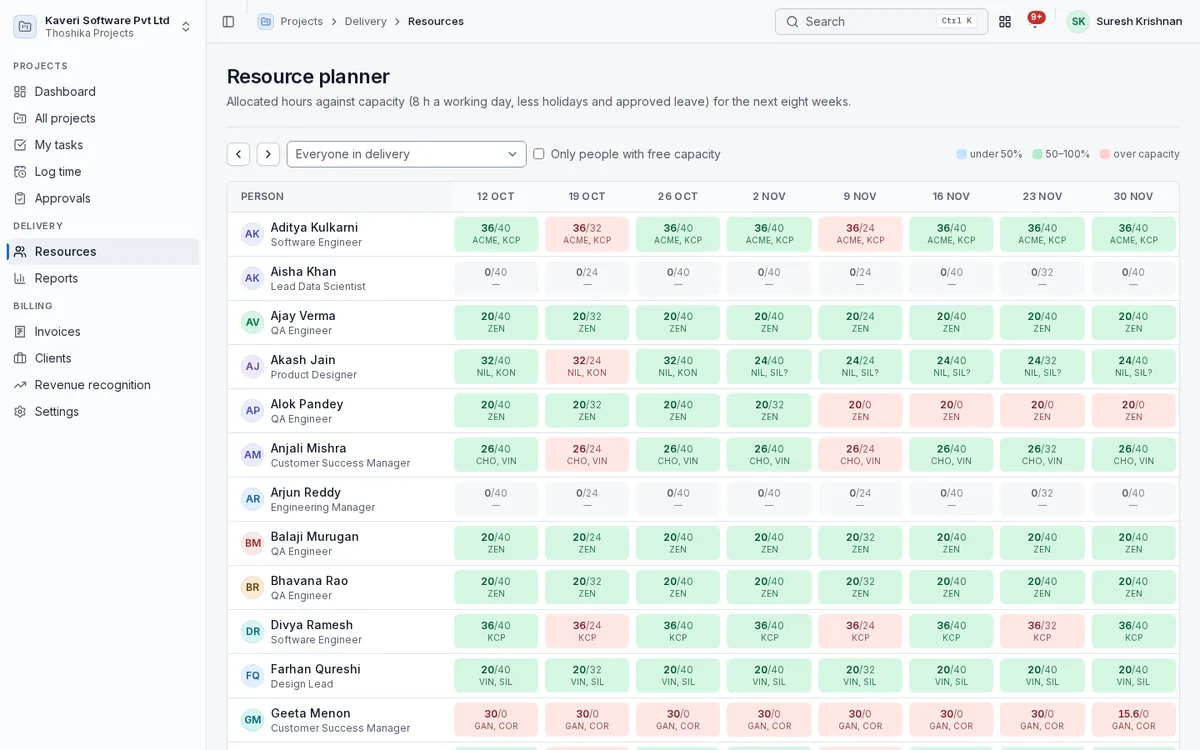
See who is allocated where, against capacity that already accounts for leave and holidays.
- Allocations by person, project and date range, soft or hard
- Capacity from working days, holidays and approved leave
- Resource planner coloured by under, healthy and over allocation
- Bench report with last project and days on bench
- Staffing requests and skills matching
Billing
Invoice drafts are built from what is ready to bill and go through finance approval.
- Drafts from completed milestones, approved hours, retainer fees and billable expenses
- Hours grouped by role or person, capped at the not-to-exceed amount
- Approved drafts post as Books invoices with the project dimension
- Billed items locked; voiding in Books releases them
- Invoice schedule for billing forecasts
Revenue recognition and financials
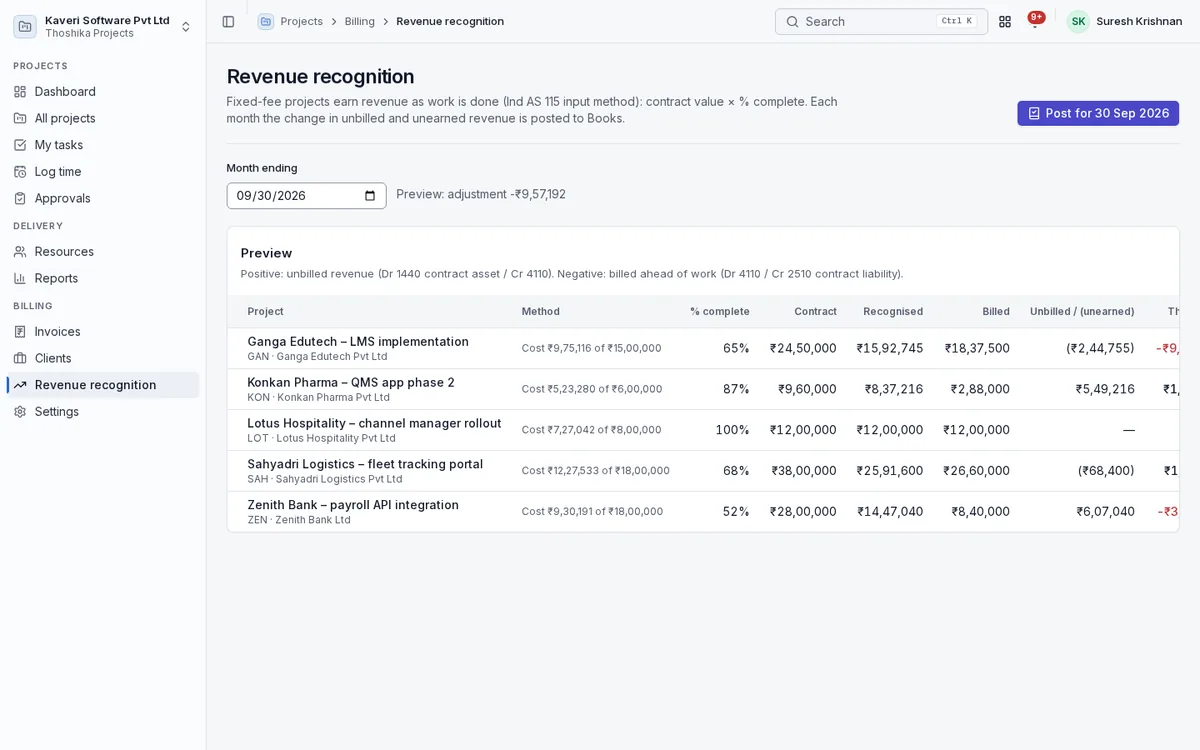
Fixed-fee revenue recognised as work is done, and a project P&L that agrees with Books.
- Percentage-complete recognition by cost, hours or a manual figure
- Monthly journal for unbilled and unearned revenue through Books
- WIP and unbilled report with ageing
- Project P&L with revenue, labour cost, expenses and margin against budget
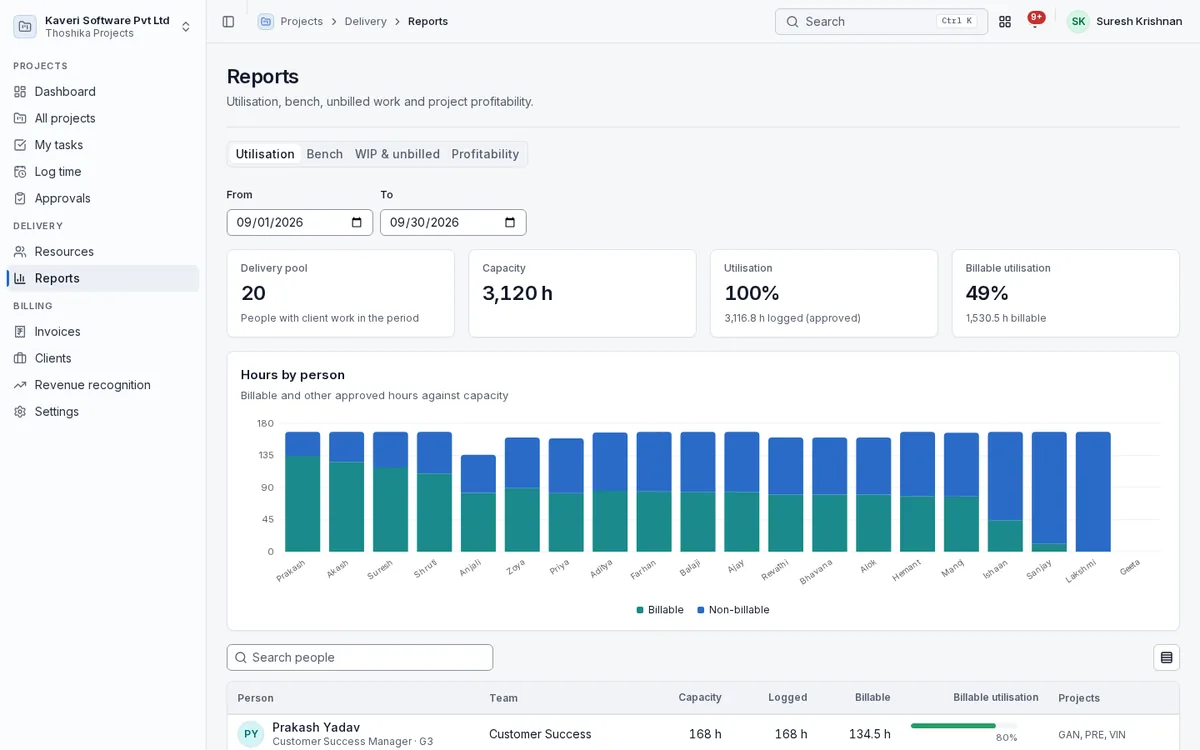
- Utilisation, billable utilisation, realisation and profitability reports
Status reports and client access
Project managers publish status reports that clients can read without a password.
- Health, highlights, risks, next steps, milestones and budget burn
- Read-only client link with a PDF download
- Links that can be regenerated or switched off
- Client portal with sign-in
Settings
Company defaults that every new project inherits.
- Overhead loading, hours per day, default tax code and markup
- Project roles with default bill rates and a company rate card
- Revenue recognition and client link switches
- Project managers limited to listed projects where needed