Home, filling and my submissions
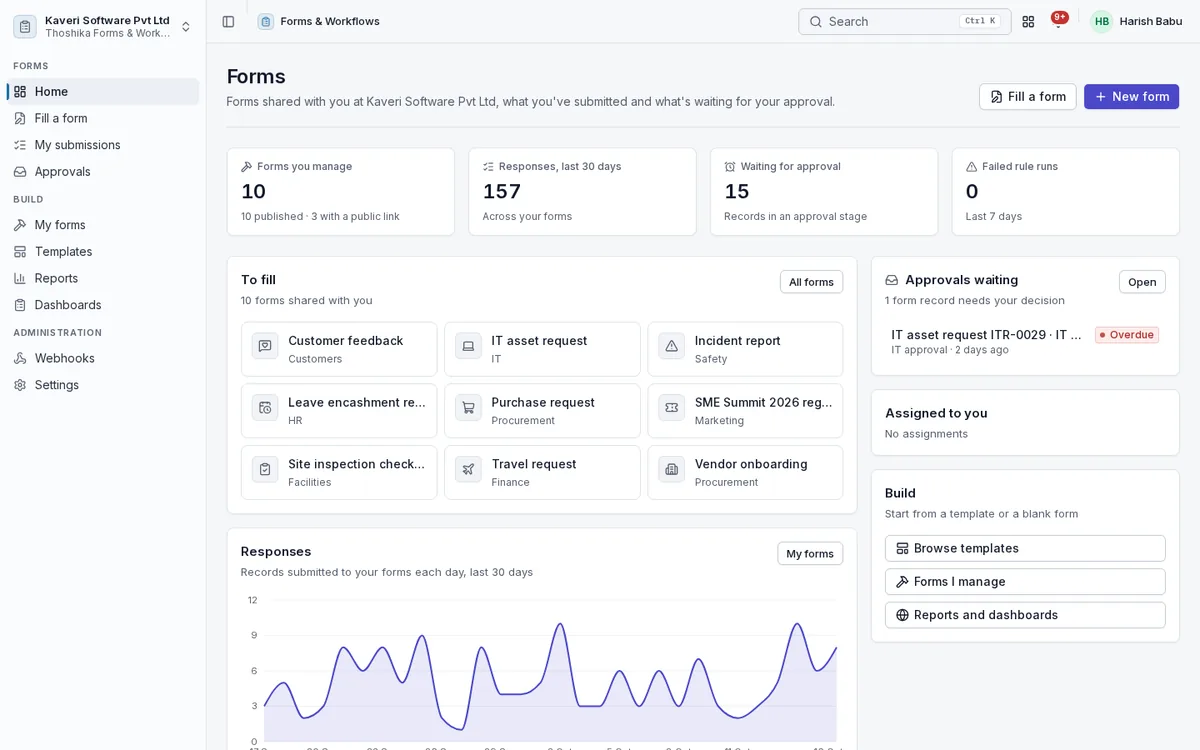
Everyone sees the forms shared with them, what they have submitted and what is waiting for their approval.
- Forms to fill, assignments with due dates and approvals waiting
- Drafts saved automatically for signed-in people
- Defaults from the signed-in person and prefilled links
- My submissions with status, withdrawal and edit until approval starts
- Language switcher for English, Hindi and Tamil
Form builder
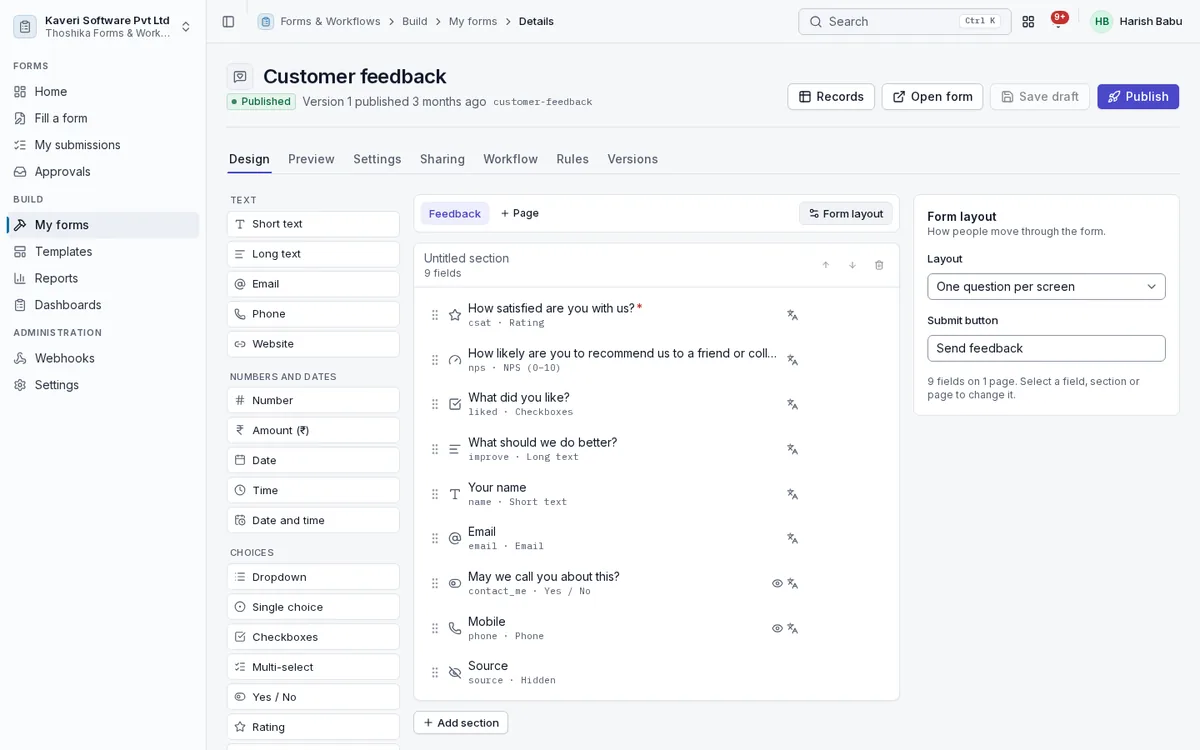
Design forms on a canvas, preview them with real logic, and publish numbered versions.
- Field types including tables, lookups, signature, photo, GPS, rating and NPS
- Pages and sections, with a one-question-per-screen layout option
- Lookups to employees, locations, customers, vendors, items and projects
- Themes with accent colour, logo and cover text
- Versions, so each response keeps the form it was filled with
- Duplicate, archive, close and reopen
Logic, formulas and validation
One expression language drives visibility, formulas, approval conditions and rule conditions on the web, phone and server.
- Show, hide and require fields based on answers
- Formulas for totals, scores, dates and text
- Required, ranges, length, patterns, unique values and format checks
- Table column formulas with row totals
- Quiz answer keys with automatic feedback
Sharing and public links
Share forms with people inside the company, or open them to the public with spam protection.
- Share with everyone, roles, people, departments or locations
- Public links with rate limits, a honeypot and minimum fill time
- Optional email OTP before a public submission
- Embed snippet, QR code and prefilled links
- Open and close dates, response limits and one response per person
- Portals with sign-in for outside users
Approvals
Responses move through stages on the shared approval engine, so they appear in the same inbox as other requests.
- Approvers by manager, manager’s manager, role, person or a person field
- Sequential, parallel or first-decision-wins stages
- Stage conditions such as an amount above a limit
- SLA reminders and escalation
- Fields the approver may edit during a stage
- Visual state machine designer for record stages
Automation rules and webhooks
Rules run on submit, approval, rejection, a field change or a schedule.
- Notify people in the app or by email
- Set fields, create records in another form or update a linked record
- Signed webhooks with retries and a delivery log
- Create a Support ticket, CRM lead, purchase requisition, project task or HR helpdesk case
- A run log for every rule
Data apps
Every form is a table of records that teams can view, filter and work on.
- Grid with inline edit, list, kanban, calendar, gallery and timeline views
- Saved personal and shared views with filters and grouping
- CSV and Excel import with a dry run, and export
- Comments with mentions, field-level history and record PDFs
- Related records and links to what a rule created
Reports and dashboards
Charts over any form, arranged into dashboards and emailed on a schedule.
- Bar, line, pie, pivot, KPI and table reports
- Response summary with per-question counts, NPS and CSAT
- Personal and shared dashboards
- Scheduled report and dashboard emails with CSV
Templates
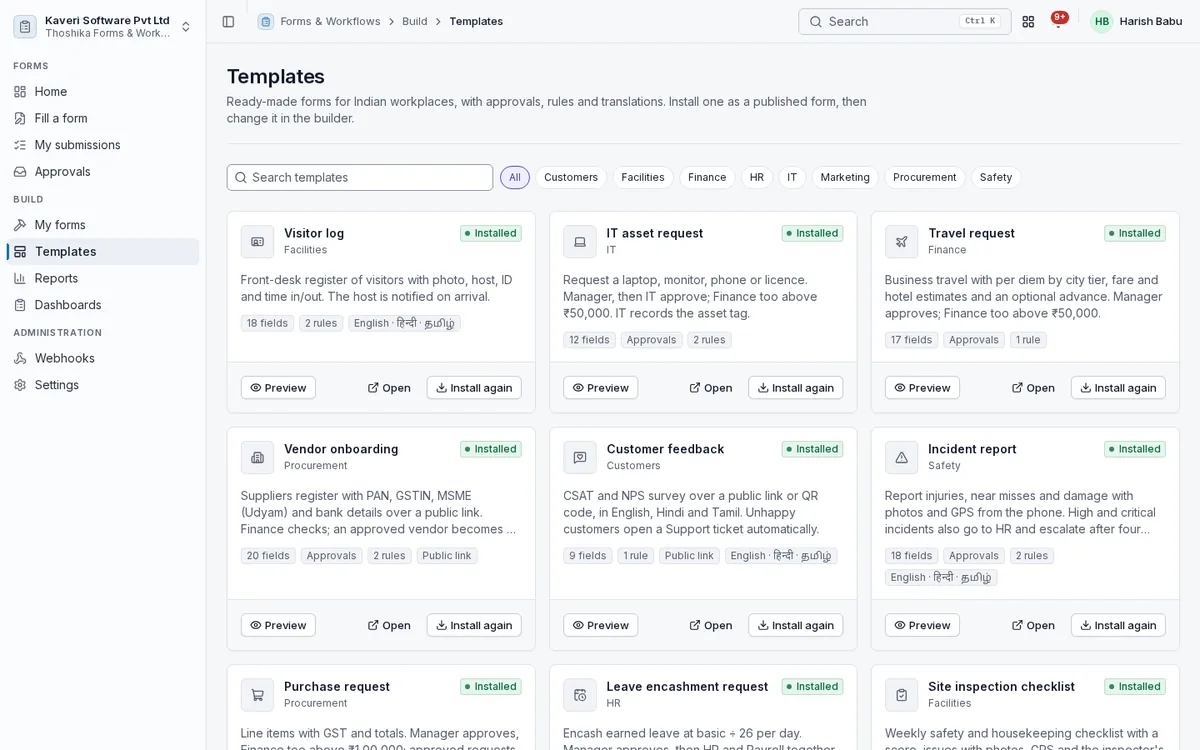
Ten ready-made forms for common business processes, installed as published forms you can change.
- Visitor log, IT asset request and site inspection checklist
- Travel request, purchase request and vendor onboarding
- Customer feedback, incident report and event registration
- Leave encashment request
Administration
Forms admins see every form and record in their scope, with settings and the webhook log.
- Every form and record within legal entity or location scope
- Reassign form ownership
- Webhook delivery log with manual retry
- Retention for public submissions