Dashboard and live view
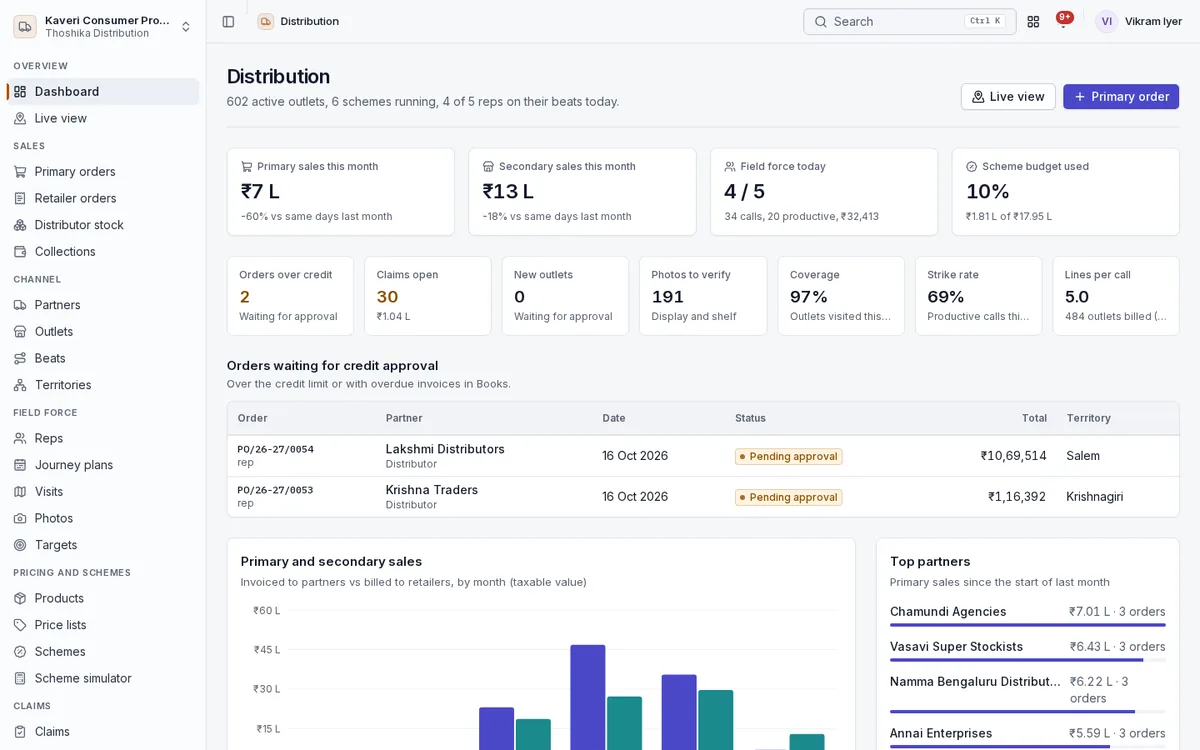
Sales heads see primary and secondary sales, the field force and open approvals in one place, and follow reps through the day on a map.
- Primary and secondary sales this month against the same days last month
- Field force today with calls, productive calls and value booked, and scheme budget used
- Orders over credit, open claims, new outlets and photos waiting for a decision
- Coverage, strike rate and lines per call
- Live view of every rep’s day, beat, planned versus visited outlets and last check-in on a map
Partners, outlets, territories and beats
Keep the whole channel in one place, from CFA to retailer.
- CFAs, super stockists, distributors and dealers with GSTIN, PAN, KYC, margins and serving warehouse
- Retailers with channel, class, geo-tag, beat, credit days and onboarding photo
- Duplicate warnings on same phone, GSTIN or a nearby name match
- Zone, region, area and territory tree that also limits what managers and reps see
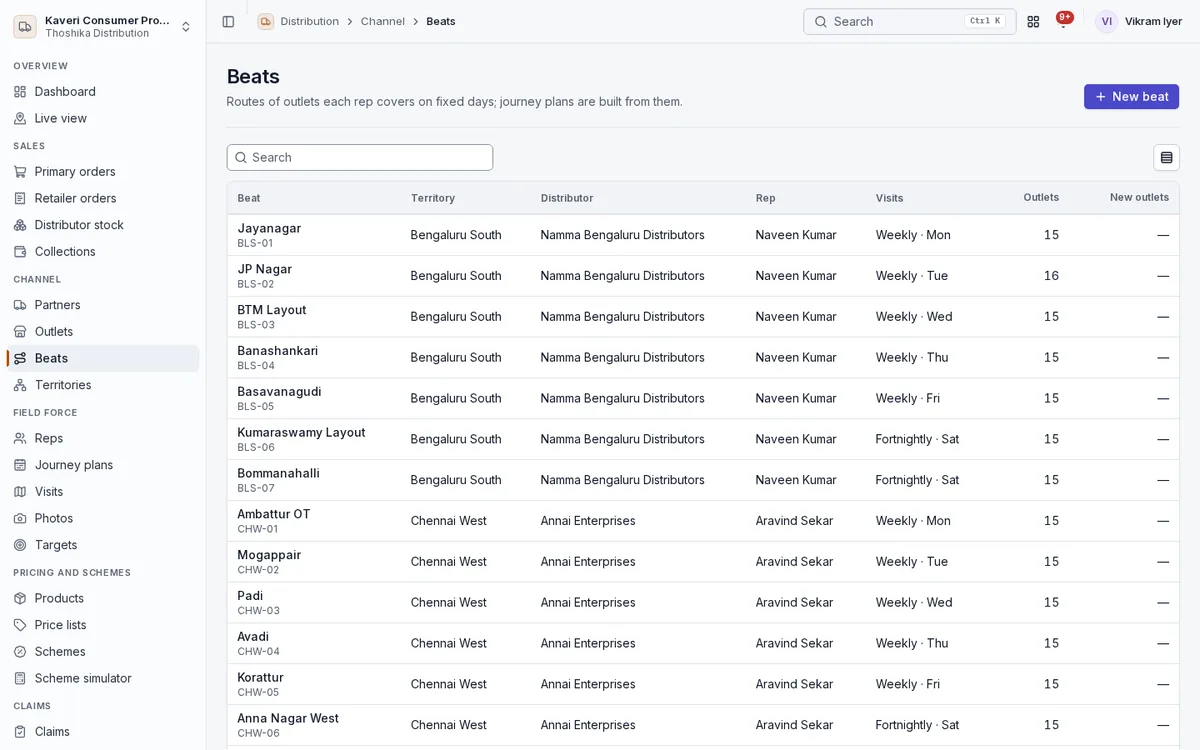
- Beats with visit days and an outlet sequence that can be optimised
- Cooler and visi-cooler assets tracked at each outlet
Products and price lists
Price every order the same way on the web, in the portal and on the phone.
- SKUs linked to stock items, with brand, pack, case size, MRP, shelf life and must-sell or focus flags
- Primary (price to distributor) and secondary (price to retailer) lists by partner, territory, channel or class
- Quantity slabs and validity dates, with the most specific list winning
- Retailer prices derived from MRP and margin when no secondary list exists
- Price change log used for price-drop claims
Schemes and the simulator
Run trade schemes with budgets, and test them before they go live.
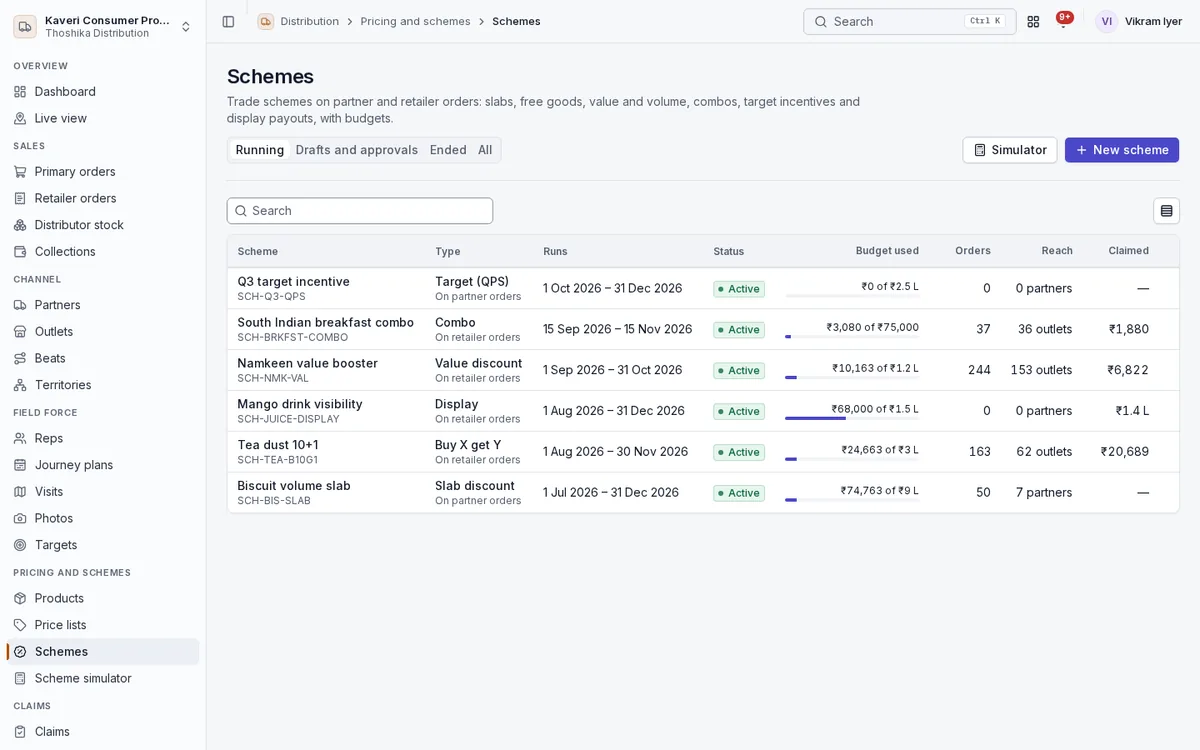
- Slab, buy X get Y, value, volume, combo, target (QPS) and display schemes
- Stacking rules: exclusive schemes, stack groups and best of group
- Budgets with alerts and automatic stop or cap
- Simulator for a cart, a replay of a draft scheme on past orders, and ROI after it ends
- Retailer loyalty and trade campaigns run with Marketing
Primary orders
Follow stock from your warehouse to the distributor.
- Distributor orders from the portal, a rep, an admin, telesales or a suggested replenishment
- Credit limit and overdue checks from Books, with approval when exceeded
- Books sales order, warehouse pick-pack-ship and invoice on dispatch
- Distributor goods receipt into their stock, with shortages raised as claims
Retailer orders, distributor stock and collections
Follow stock from the distributor to the retailer, and the money back.
- Secondary orders billed by the distributor, load sheets by beat, and retailer returns
- Van sales billed on the spot from stock on the van
- Retailer ordering app for outlets to order directly
- Distributor stock ledger by batch and expiry, or closing-stock submissions
- Collections in cash, UPI or cheque recorded at the outlet
Field force: reps, journey plans, visits and photos
Give reps a planned day that works offline, and managers a clear record of it.
- Monthly journey plans approved by the area manager, with leave from People
- Day start and end as People attendance, with GPS only after the rep opts in
- Outlet check-in with geofence, orders with schemes applied, must-sell prompts and suggested orders
- Stock audits, merchandising photos verified by managers, and no-order reasons
- Surveys at the outlet built in Forms
- Onboard new outlets with a photo for manager approval
Targets
Set targets for reps and partners and see who is ahead.
- Monthly targets per rep
- Rep leaderboard by value, strike rate and coverage
- Badges for reps who hit their goals
- Journey-plan adherence and beat productivity
Claims
Validate claims against real sales and stock, and settle them in Books.
- Scheme, target, display, damage, expiry, price-drop and transit claims
- Validation against secondary sales, the scheme ledger and distributor stock
- Approval by the area manager and admin, with finance above a limit
- Settlement as GST or financial credit notes in Books
- Claims ageing by 0-7, 8-15, 16-30 and 30+ days
Distributor and dealer portal
Let partners serve themselves on the web.
- Place orders with channel prices and schemes applied
- Orders, invoices, payments and statement from Books
- Running schemes and their own claims
- Stock, retailer billing and their retailer list
Reports, sync review and settings
Measure the channel and keep field data clean.
- Primary versus secondary by partner, territory and month, and stock cover in days
- Unique outlets billed, bill cut, must-sell penetration, scheme ROI and budget burn
- Sync review of repriced or conflicting orders from offline phones
- Geofence radius, working hours for GPS, photo kinds and approval limits in settings