Marketing home and campaigns
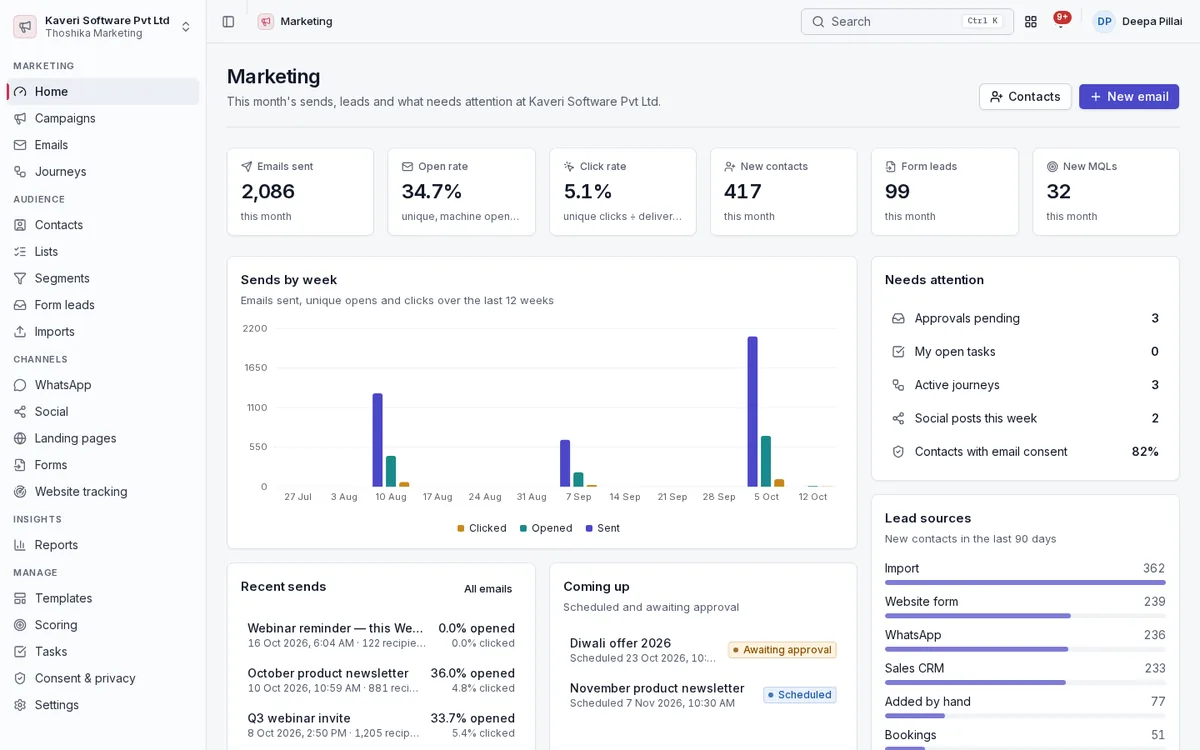
The home page shows this month’s sends, opens, clicks, new contacts, form leads and MQLs. Campaigns group every email, page, form, journey, broadcast and post behind one code.
- Sends-by-week chart, lead sources and a needs-attention list of approvals, tasks and active journeys
- Campaign types for webinars, newsletters, nurture, launches, events, paid ads and content
- Budget, UTM campaign and a leads or revenue goal on each campaign
- Campaign overview of its emails, pages, forms, journeys, WhatsApp broadcasts, social posts and Bookings event
- Funnel per campaign from visitors to leads, MQLs, SQLs, opportunities and won customers
Contacts, lists, segments and imports
Keep one marketing contact per person, shared with CRM leads and contacts when CRM is on. Group them in static lists or in segments that update as people change.
- Custom properties, tags, lifecycle stage and score on every contact
- Segments on properties, behaviour (opens, clicks, page visits, forms, bookings) and CRM deal stage
- Predictive engagement tiers on contacts, alongside rule-based segments
- CSV import with column mapping, a 10-row preview, de-duplication modes and a required consent basis and proof file
- Merge duplicates by email or normalised mobile number
- Hashed exports for ad platform customer-match audiences
Email campaigns and templates
Build emails from blocks or start from a template, test them, and send them through an approval step when the company requires one.
- Block builder with merge tags, dynamic content, desktop and mobile preview and a brand kit for logo, colours, fonts and footer
- System templates for newsletters, webinar invites, product updates, nurture, festive offers and event reminders, plus saved company templates
- A/B and multivariate tests on subject, content or sender, up to four variants
- Pre-send checklist and a rules-based spam score with each finding explained
- RSS-to-email digests built from a blog feed
- Send approval by a marketing admin before an email is scheduled
Sending and deliverability
Send from your own verified domain within the hours you choose, with bounces, complaints and unsubscribes suppressed automatically.
- SPF, DKIM and DMARC records with live DNS checks for each sender domain
- Send windows, hourly throttling and optional send-time optimisation
- Delivery in each recipient’s own time zone
- One-click unsubscribe and a preference centre
- Automatic suppression of hard bounces, complaints and unsubscribes
- Deliverability report by mailbox provider with bounce and complaint rates
Automation journeys and tasks
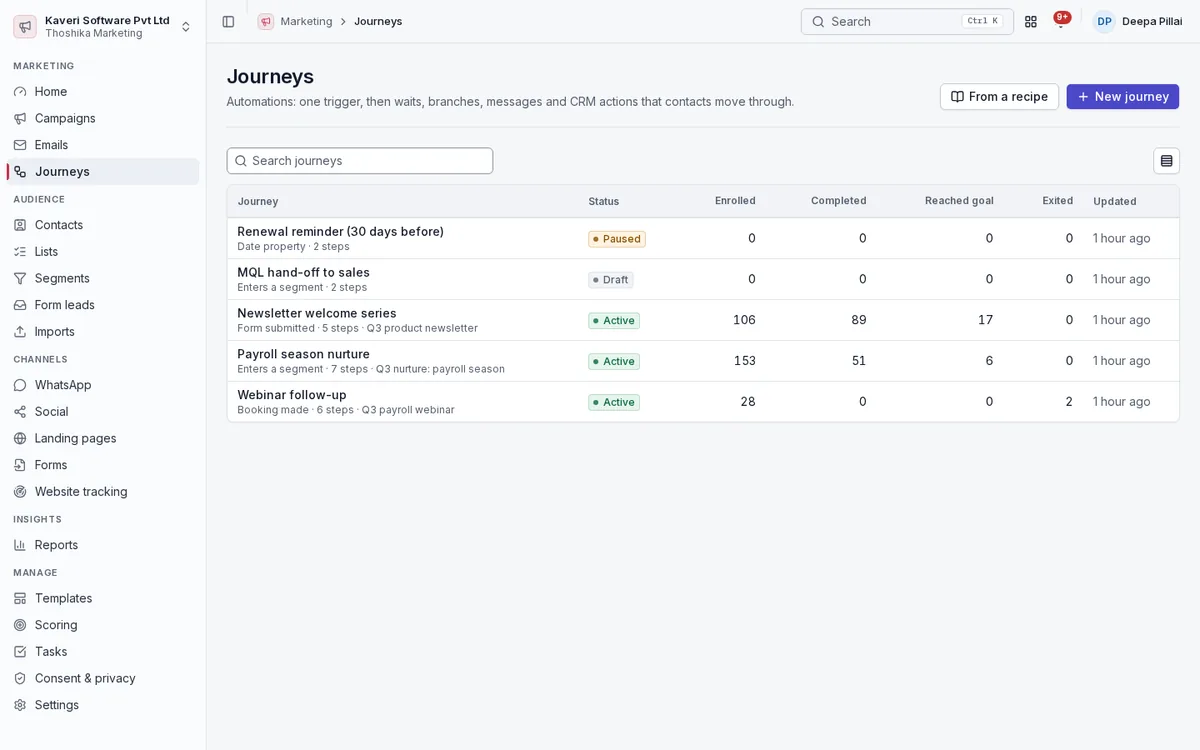
Journeys move contacts through delays, branches and actions from a single trigger, and stop when a goal is met. Steps that need a person become tasks.
- Triggers: form submitted, segment entered, list added, booking made, deal stage changed, page visit, custom event, date property
- Steps for email, WhatsApp or SMS, contact and CRM updates, owner assignment and notifications
- Signed webhook step for other systems
- Goals, exit rules, re-entry rules and per-step statistics
- Ready-made recipes: welcome series, webinar follow-up, nurture, re-engagement and MQL hand-off
- Follow-up tasks with a click-to-chat link, tracked to done on the Tasks page
Landing pages, forms and website tracking
Publish hosted pages and forms, embed them on your own site, and link visits to contacts with first-party, consent-aware tracking.
- Responsive page builder with SEO fields and a Bookings scheduler block
- Landing pages on your own custom domain
- Forms with state fields, unticked consent boxes and hidden UTM capture
- Embed inline, as a pop-up after a delay or on exit intent, or as a floating button
- Progressive profiling and spam protection without third-party services
- Form leads inbox to follow up and hand off each submission
- First-party tracking script that honours Do Not Track and Global Privacy Control
Lead scoring and hand-off
Score contacts on fit and behaviour and pass qualified leads to sales at the threshold you set.
- Fit and behaviour rules with decay and an MQL threshold
- Engagement score shared with CRM lead scoring
- Optional automatic CRM lead creation when a contact becomes an MQL
- Lifecycle stages from subscriber to customer
WhatsApp and SMS
Draft WhatsApp templates and broadcasts in the app and send them through your WhatsApp Business provider, with consent checked for every recipient.
- WhatsApp templates checked against Meta categories, languages and limits
- Broadcasts to lists and segments, limited to contacts with WhatsApp marketing consent
- Sending through provider APIs such as WATI, Interakt or the Meta Cloud API, or export in their CSV formats with delivery reports imported back
- Click-to-chat links per contact
- SMS templates carrying DLT IDs, sent through a DLT-registered provider or exported as CSV
- Optional approval before a broadcast goes out
Social
Plan posts for each network on a calendar, review them, and publish them directly or through the scheduling tool you already use.
- Profiles for LinkedIn, Facebook, Instagram, X and YouTube
- Per-network text with character limits, image and a link with automatic UTM
- Month and week calendar with drag to reschedule drafts
- Draft, review, approve and published states with the post URL
- Direct publishing to social networks, or Buffer and Hootsuite bulk CSV export
Attribution, ROI and reports
See which campaigns produced revenue, at what cost, and how healthy your sending is.
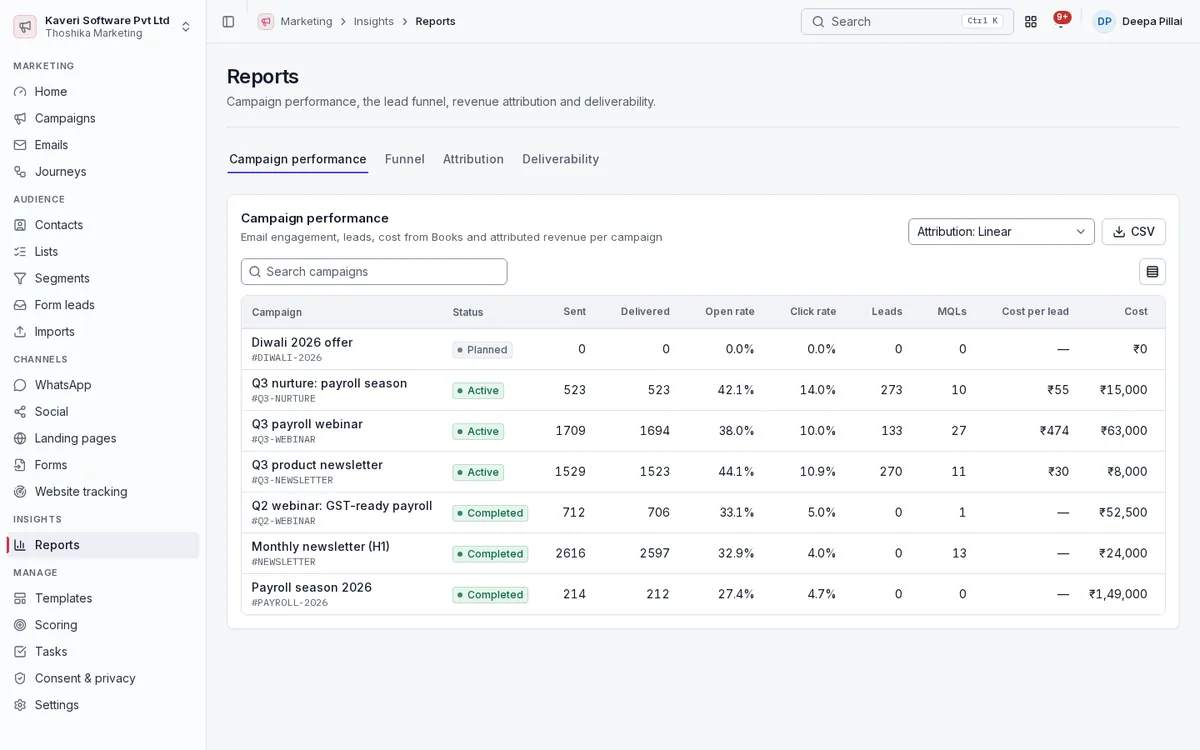
- First-touch, last-touch, linear, U-shaped and time-decay attribution, side by side
- Campaign costs picked up from tagged Books expenses and bills, plus manual entries
- Return per unit spent, net ROI, cost per lead and cost per MQL
- Campaign performance, funnel, attribution, deliverability, forms, pages and journey reports
- CSV export of every table
Consent, privacy and settings
Every contact carries a record of what they agreed to, and admins control senders, tracking, scoring, approvals and brand or business-unit scopes from one place.
- Purpose-specific consent with notice versions, withdrawal and erasure
- Consent proof per contact: source, notice version, form or import, time and user agent
- Suppression list and consent audit for admins
- Brand and business-unit scopes for marketers
- Approval settings for email sends, social posts and broadcasts
- Marketing admin and marketer roles with separate permissions