Dashboard
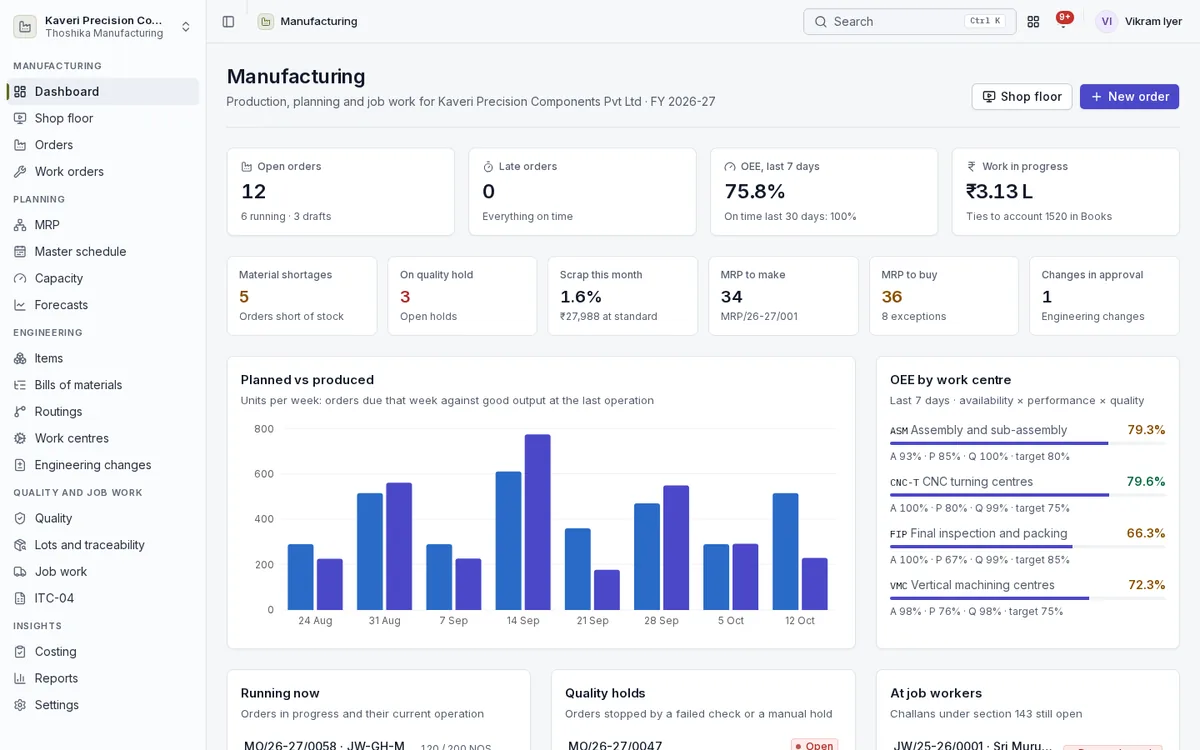
Planners and plant heads see the state of production, planning and job work for the financial year in one place.
- Open and late orders, OEE for the last seven days and work in progress value tied to the ledger
- Material shortages, quality holds, scrap this month and engineering changes in approval
- MRP make and buy counts with exceptions
- Planned versus produced by week and OEE by work centre
- Orders running now, quality holds and open job work challans
Items, bills of materials and engineering changes
Keep product structures accurate over time and change them under control.
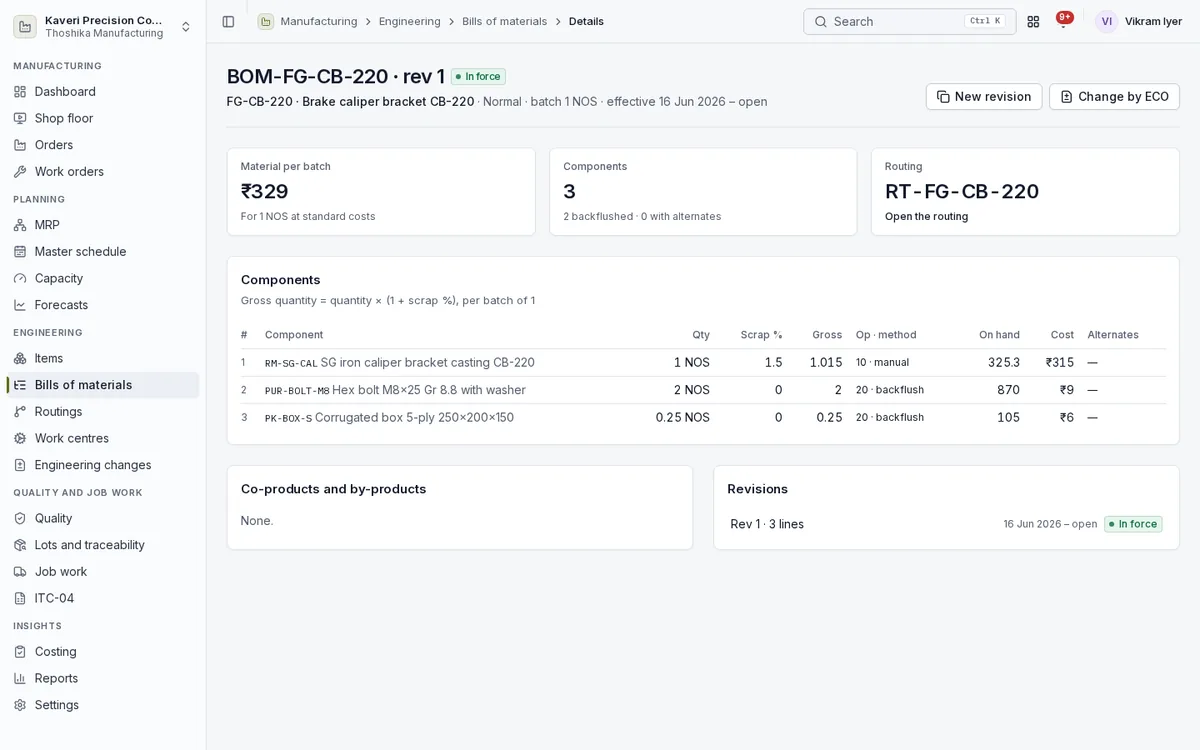
- Items with stock, BOMs, where-used, routings, cost roll-up and lots
- Multi-level BOMs with phantom sub-assemblies, scrap percentage and alternates
- Co-products and by-products with a cost share
- BOM versions with effective dates, one active per date
- Engineering change orders approved before the new revision takes effect
- Drawings and documents attached to BOMs and routings
Work centres and routings
Describe where and how each product is made.
- Work centres with units, shifts linked to People schedules, efficiency, OEE target and cost and overhead rates
- Daily capacity worked out from units, shifts, hours and efficiency
- Routings with setup and run times per operation
- Subcontracted operations sent to a default job worker
- Inspection checkpoints on operations
Manufacturing orders and work orders
Release orders to the floor and follow every operation to the finished goods receipt.
- Manufacturing orders from sales orders, MRP, reorder rules or by hand
- Material reservation, manual issue or backflush, and returns to stores
- Rework and disassembly orders, partial receipts and close short
- Work orders per operation, with a planner view across all orders
- Order detail with materials, work orders, outputs, lots, quality, costs and journals
- Job card PDF with a barcode for scanning
Shop floor
Operators run their queue from a tablet or phone and record what happened as it happens.
- Work centre queue in sequence and due order; scan or type a job card to open it
- Start, pause with a downtime reason, resume and finish operations
- Report good quantity and scrap with reasons
- Labour time by worker, costed from People when available
- Mandatory checkpoints, with a hold on failure
- Improvement suggestions from operators on each operation
MRP, master schedule, capacity and forecasts
Work out what to make and buy, and when, from real demand and supply.
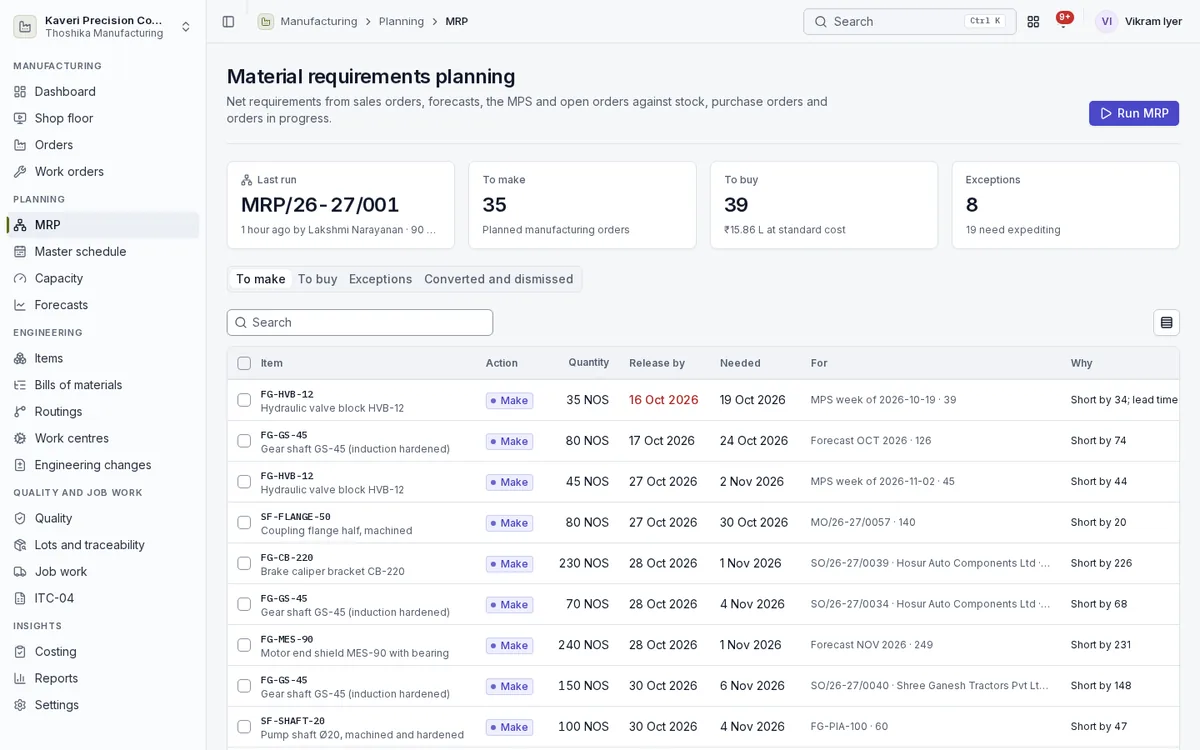
- MRP with lead times, safety stock, lot sizing and pegging to the demand it covers
- Regenerative and net-change MRP runs, across several plants
- Exceptions to expedite, reschedule in or reschedule out
- Suggestions converted to orders, Procurement requisitions or Books purchase order drafts
- Monthly forecasts consumed by actual orders, and a 12-week master production schedule with available-to-promise
- Load per work centre and finite scheduling with a Gantt chart
Quality
Check product during production and stop what fails.
- In-process inspections with measurements against limits
- Holds placed by a failed checkpoint or by hand
- Release by use as is, rework or scrap, with deviation approval
- Full quality management with Maintenance and Quality when it is on
Lots and traceability
Trace every lot from supplier to customer.
- Output lots and serials with expiry
- Consumed lots recorded on every issue
- Genealogy back to supplier bills and forward to customer invoices
Job work
Send material to job workers and track it until it comes back.
- Challans out and in for materials, semi-finished goods and capital goods
- Material at job workers held in its own inventory account
- Return limits tracked with reminders and deemed-supply flags
- Job charges bills and invoices raised in Books
Costing and accounts
Know what each order really cost and post it to the ledger as it happens.
- Standard cost roll-up of material, labour, machine, overhead and subcontracting
- Standard or actual costing method
- Issues, labour absorption, receipts and job work posted to WIP and inventory in Books
- Material price and usage, labour and overhead, scrap and subcontract variances on close
- WIP valuation, cost variance and material consumption reports
Reports and settings
See how the plant is performing and set the rules it runs by.
- Plan versus actual, OEE, scrap, material consumption and labour reports
- Downtime, scrap and deviation reasons
- Job worker list and planning defaults
- Approvals for engineering changes, scrap and deviations