Service desk home
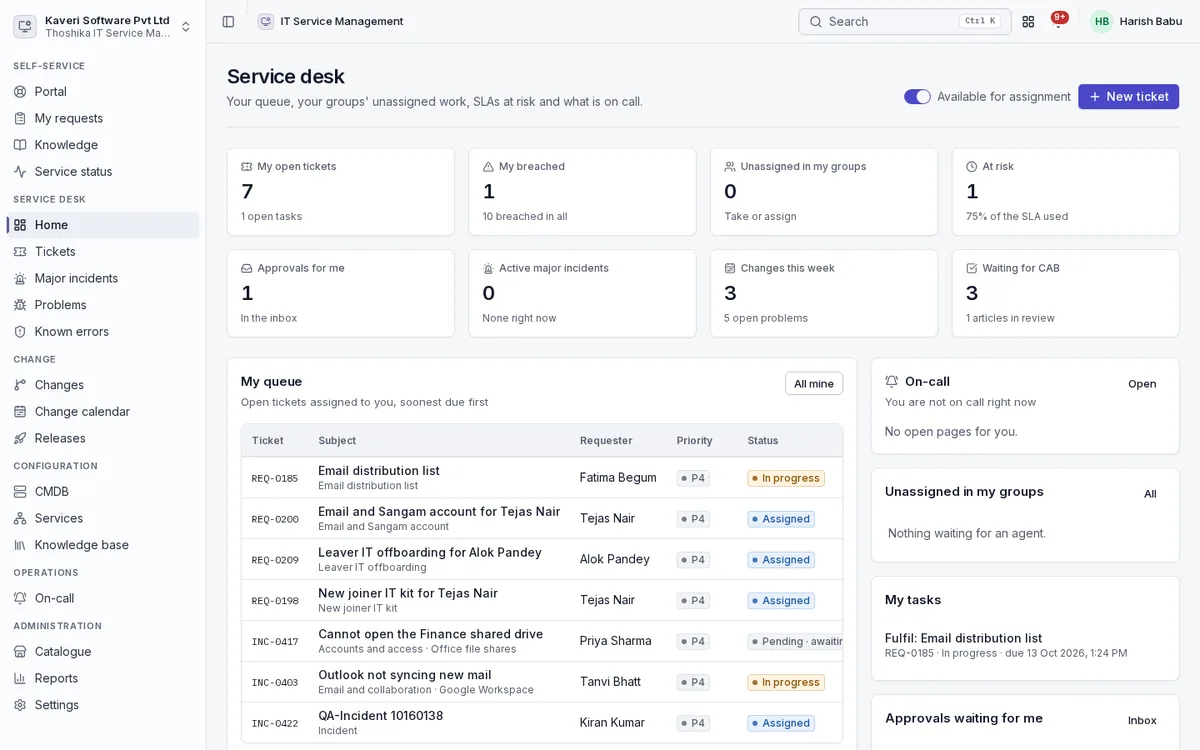
Agents start from their own queue, their groups’ unassigned work, SLAs at risk and what is on call.
- My open tickets, my breached tickets, unassigned in my groups and tickets at risk
- Approvals for me, active major incidents, changes this week and changes waiting for CAB
- On-call status and open pages
- My tasks and a created-versus-resolved chart for the last 14 days
- Available-for-assignment switch
Incidents and tickets
Capture every IT issue, set its priority consistently and route it to the right group.
- Intake from the portal, mobile, agent console, inbound email, a Sangam command and monitoring alerts
- Impact by urgency priority matrix, editable per company
- Routing by category and keywords, then round robin or load balanced with skills, skipping agents on leave
- Queues for mine, my groups, unassigned, all and breached
- Parent and child tickets, merge, tasks, time entries and canned responses
- Similar tickets and suggested articles, with a collision banner for agents
Service requests and catalogue
Offer a catalogue of what IT provides, with the right form and approvals for each item.
- Catalogue items with forms built on the Forms engine, expected times and prices
- Approvals by manager, manager then IT, or a custom chain
- Fulfilment tasks in sequence or in parallel
- Bundles such as a new joiner kit that create one request per item
- Joiner, mover and leaver requests raised from People events
- Hardware tasks that check out a ready Workplace asset to the requester
- Documents generated from request details
Major incidents and service status
Coordinate a serious outage and keep everyone informed.
- Declare from a P1 or P2 with a commander and communications lead
- Sangam war-room channel and meeting room created automatically
- Templated stakeholder updates and an internal service status board
- Post-incident review with an automatic timeline and PDF export
Problems and known errors
Find and remove the root causes behind repeat incidents.
- Problems linked to incidents, with five whys, workaround and permanent fix
- Known-error records shown to agents on matching incidents
- Problem tasks created in Projects with their status on the problem
Changes, change calendar and releases
Change systems safely, at the right time.
- Standard, normal and emergency changes with a weighted risk questionnaire
- Visual designer for change workflows and rules
- CAB approvals by risk, and impact analysis from the CMDB
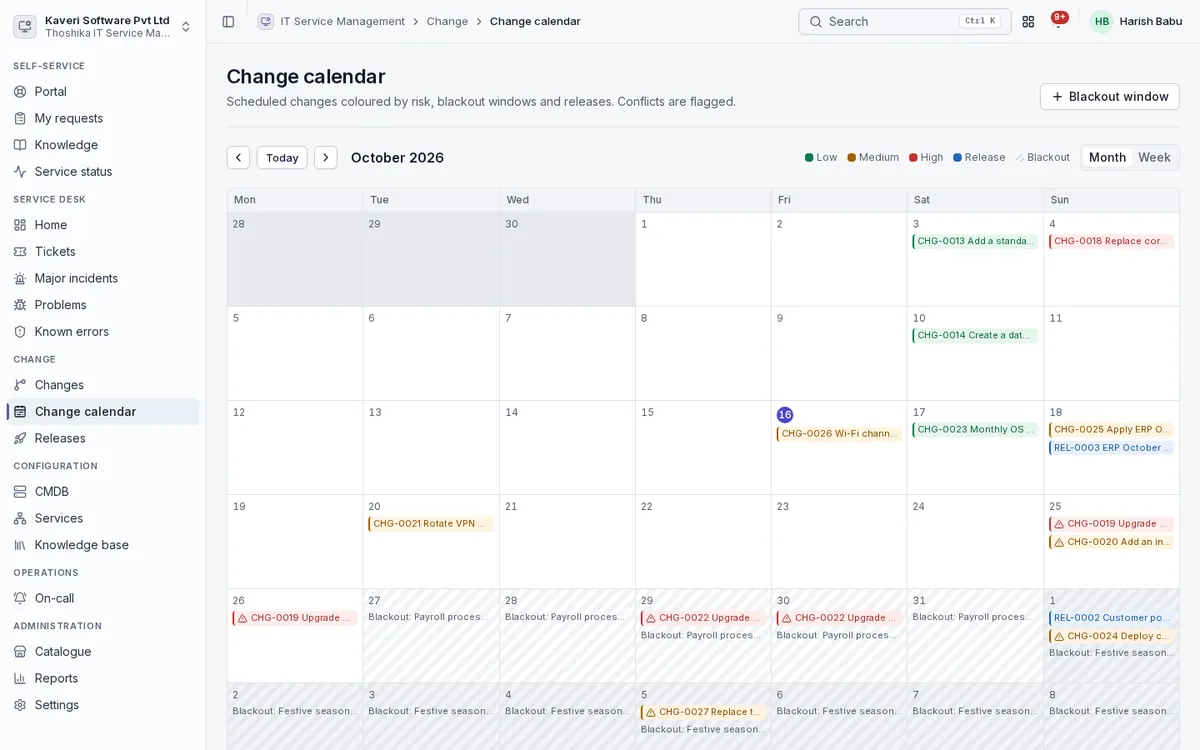
- Change calendar coloured by risk, with blackout windows and collision detection
- Releases that group changes, with planned dates, stages and deployment tasks
- Deployment gate for CI/CD pipelines
CMDB and service map
Know what you run, how it connects, and what breaks if something fails.
- Configuration item classes from business services down to end-user devices
- Hardware items linked live to Workplace IT assets, never copied
- Relationships such as depends on, runs on and hosted on
- Business services with criticality, tier, owner and health from open incidents and maintenance
- Impact view up to business services and dependency view down
- CSV import with dry run, a discovery API, a network scan probe and cloud collectors
Knowledge
Write answers once and put them in front of employees and agents.
- Articles with versions, review and approval before publishing
- Translations and feedback on each article
- Popular articles on the portal and suggestions while typing
On-call
Make sure someone is always reachable when something breaks.
- Rotations, overrides and escalation policies
- Pages by push, in-app and an optional SMS hook, with acknowledge
- Monitoring alerts with de-duplication, and heartbeat checks
Self-service portal
Help employees help themselves, and make it easy to ask when they can’t.
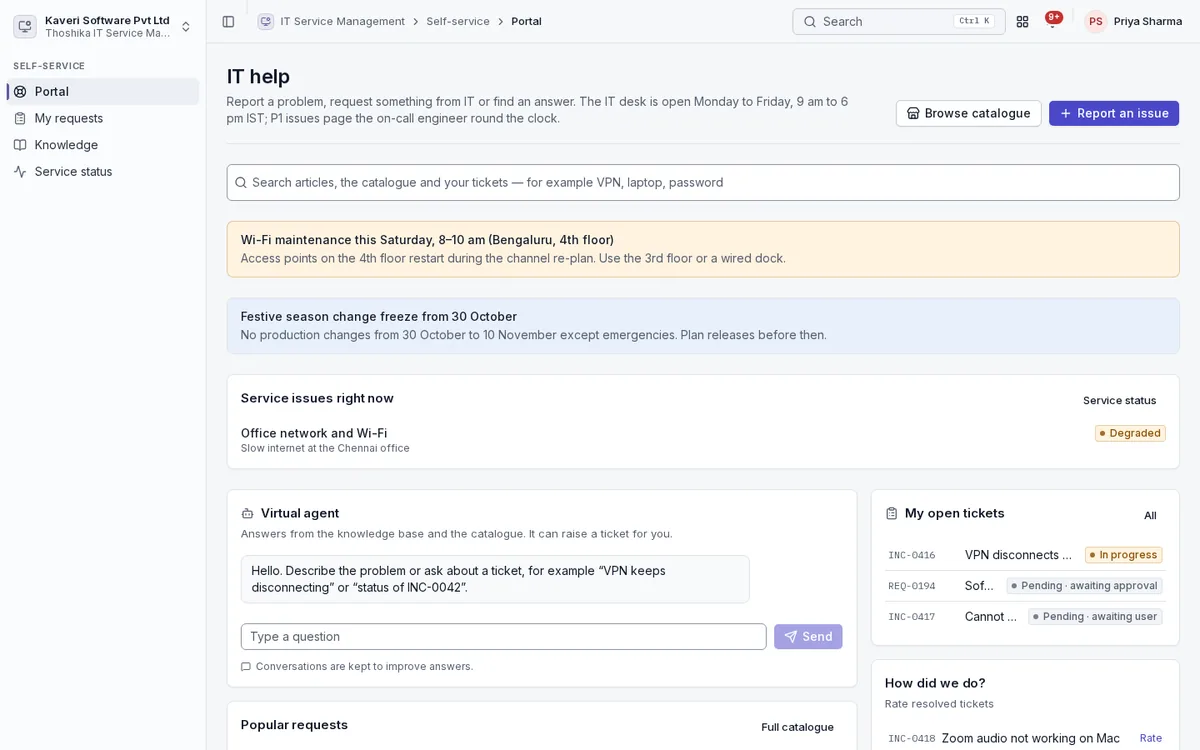
- Portal with search, catalogue, report an issue, my tickets, approvals, announcements and service status
- Virtual agent that answers from knowledge and the catalogue and can raise a ticket
- Ticket by email to the company’s IT address, threaded on the ticket number
- CSAT rating on resolve
- Portal in Indian languages, and a walk-up kiosk
SLAs, reports and settings
Hold the desk to clear targets and set it up the way your IT team works.
- SLA and OLA clocks on business hours with People holiday calendars, pausing while pending
- Vendor contract clocks and experience level agreements
- Escalations at 75 percent, breach and 150 percent
- Reports on volume, MTTR, SLA compliance, change success and CSAT
- Groups and agents, categories, priority matrix, rules, canned responses, channels and tokens, JML and announcements