Dashboard
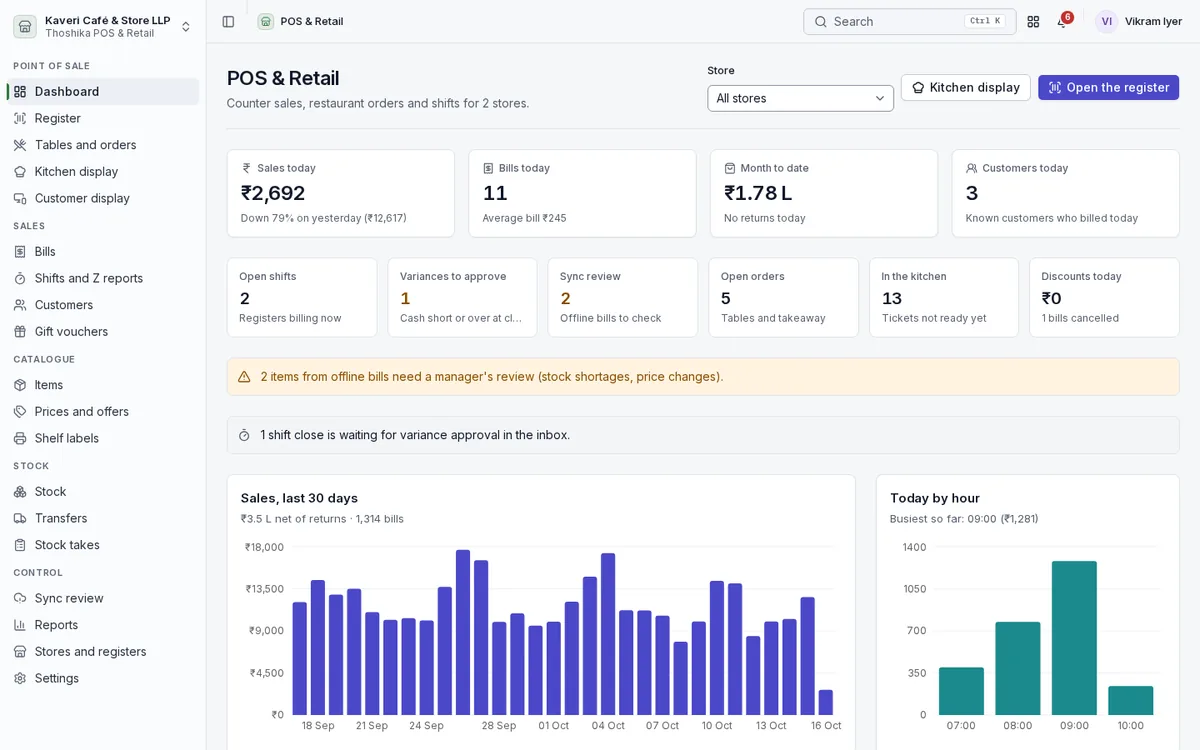
Store managers see today’s trading and everything that needs a decision, for one store or all of them.
- Sales today, bills, average bill, month to date and known customers
- Open shifts, variances to approve, offline bills to review, open orders and kitchen tickets
- Sales for the last 30 days and today by hour
- Payments by mode and top sellers for the week
Fast counter billing
A full-screen register built for one hand on a scanner and one on the keyboard or screen.
- Barcode, PLU, code and name search, with a category grid and quick keys
- Voice search for items
- Weighed items from scale barcodes or a directly connected serial scale, with decimal quantities and units
- Variants and add-ons with their own prices and stock, and serial numbers captured at sale
- Hold and recall carts, keyboard shortcuts and PIN lock on shared counters
- Receipts on 58 or 80 mm printers, PDF, or through an optional local ESC/POS bridge with cash drawer kick
- Customer display showing the cart, total and payment QR
Payments, bills and returns
Take any mix of tenders, find any bill, and handle returns against the original.
- Split tender across cash, UPI QR with the exact amount, card, customer account, wallet, gift voucher and loyalty points
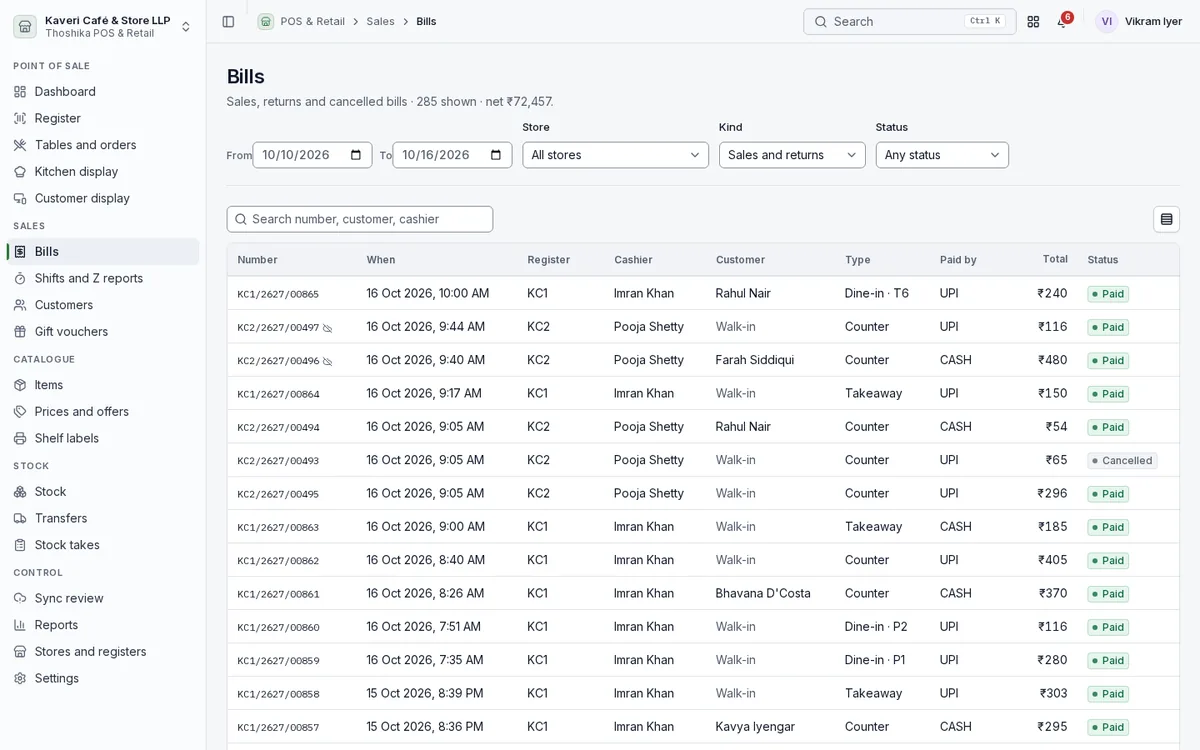
- Bills list by store, register, cashier, kind and status
- Returns and exchanges against the original bill, with refunds or credit notes
- Voids and reprints recorded in an audit log
- Receipt links by WhatsApp click-to-chat, SMS link or email, with a rating on the receipt page
Restaurant mode
Run dine-in, takeaway, delivery and aggregator orders from the same app.
- Floor plan with tables, covers and live status
- KOTs per kitchen station, courses with hold and fire
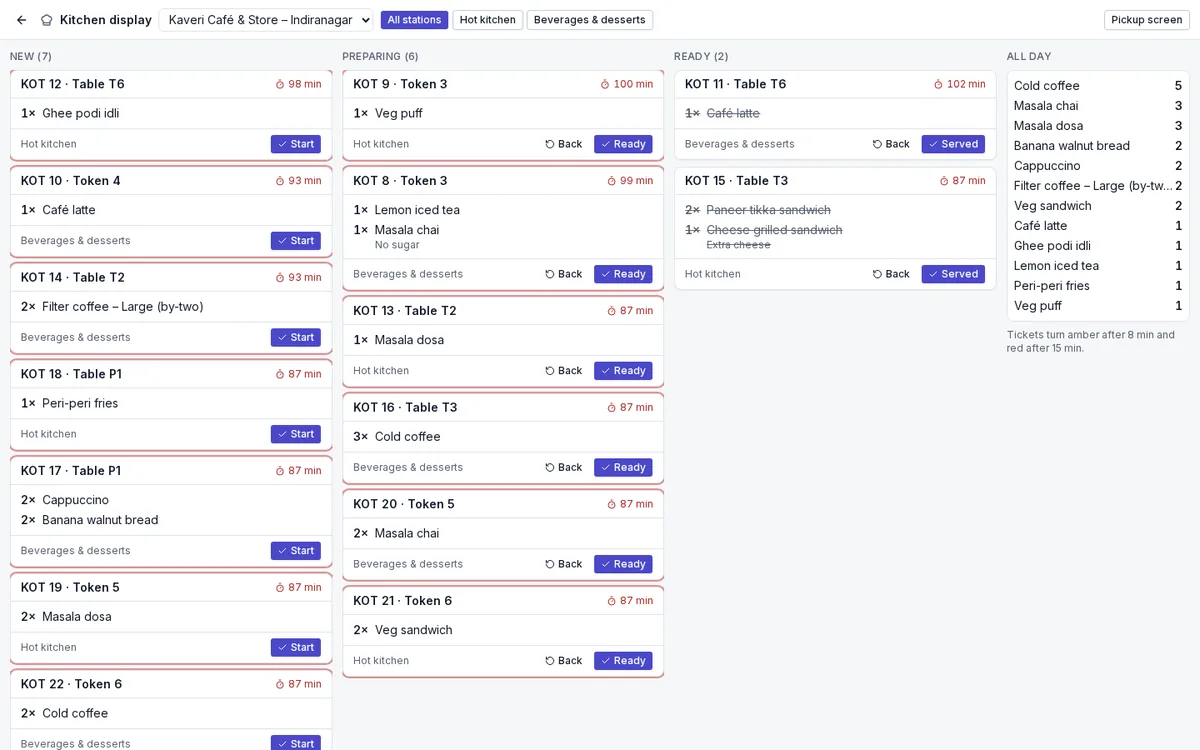
- Kitchen display with timers, bump and recall, an all-day count and a pickup screen for tokens
- Move, merge and split tables and bills; optional, removable service charge
- QR menu ordering at the table and a self-service kiosk
- Recipes that consume raw materials, a central kitchen, and veg, non-veg and egg marks
- Aggregator sales with settlement reconciliation
Shifts and Z reports
Close each shift with a count, and approve differences before the day is booked.
- Opening float, cash in and out and safe drops
- X reports during the shift and numbered Z reports at close
- Denomination count at close, with approval when the variance is above tolerance
- Shift journals posted to Books
Customers, loyalty and gift vouchers
Recognise regulars at the counter and reward them.
- Customer lookup by mobile number, purchase history and credit limits
- Loyalty points earned and redeemed as a tender
- Store wallet balances
- Gift vouchers sold and redeemed at the register
- Marketing consent recorded on the customer
Items, prices and offers
Set the catalogue and prices once centrally, then let stores run offers without losing control.
- Items with variants, modifiers, recipes and store-level settings
- Price lists by store, customer group, day and hour, never above MRP
- Automatic promotions: item or category percent, buy X get Y, bill amount off
- Coupons with minimum bill, cap, validity and usage limits
- Manager PIN for discounts, voids and price edits above a cashier’s limit
- Sales commissions for staff
- Shelf labels printed from the catalogue
Stock, transfers and stock takes
Every store is a warehouse in the stock engine, so counter stock stays right without re-entry.
- Stock levels per store with low-stock lists
- Stock deducted on every sale, with FEFO lots
- Transfers between stores
- Counter stock takes with approval of differences
- Cost of goods posted per bill so stock and the ledger agree
Offline-first and sync review
The register keeps billing when the connection drops and catches up when it returns.
- Items, prices, promotions and the open shift cached on the device
- Bill numbers continue from the register’s own series while offline
- Each action replays once when back online, so retries are safe
- Sync review lists conflicts such as short stock or a changed price for a manager to resolve
Reports
See sales, payments and margins by any cut, and send them on a schedule.
- Daily sales by store, register, cashier, item, category and hour heat map
- Payment-mode reconciliation against Books clearing accounts
- Top sellers, slow movers and food cost against price
- Discounts, voids, overrides and reprints audit, and the Z report register
- Scheduled report emails and CSV export everywhere
Stores, registers and settings
Set up stores, registers, receipts and shared devices from the back office.
- Stores with address, warehouse, tax registration, UPI ID, service charge and default price list
- Registers with their own bill series, mode, receipt width and printing
- Receipt templates with header, footer, tax break-up, savings and receipt QR
- Shared registers enrolled by QR code, with staff switching by PIN or badge
- Who-used-it log of every staff session on a device