Dashboard
Service managers see today’s jobs, SLA risk, contract renewals and revenue at a glance.
- Jobs today, in progress, unassigned and completed today
- SLAs at risk and breached, and SLA met rate
- AMC renewals due, active contracts and unearned revenue
- Revenue this month, first-time fix rate and CSAT
- A needs-attention list of jobs to act on
Requests and work orders
Bring requests in from every channel and track each job against its target.
- Jobs from Support tickets, Bookings visits, the customer portal, PM schedules or by hand
- Requests triaged before they become work orders
- Configurable job types with duration, skills, checklist and charges
- Coverage worked out from the asset: AMC, warranty or chargeable
- Response and resolution SLAs on business hours with People holidays
- Follow-up jobs, helpers and first-time fix tracking
- Custom automations on job events
Dispatch board, map and PM planner
Plan the day so the right technician reaches the right site on time.
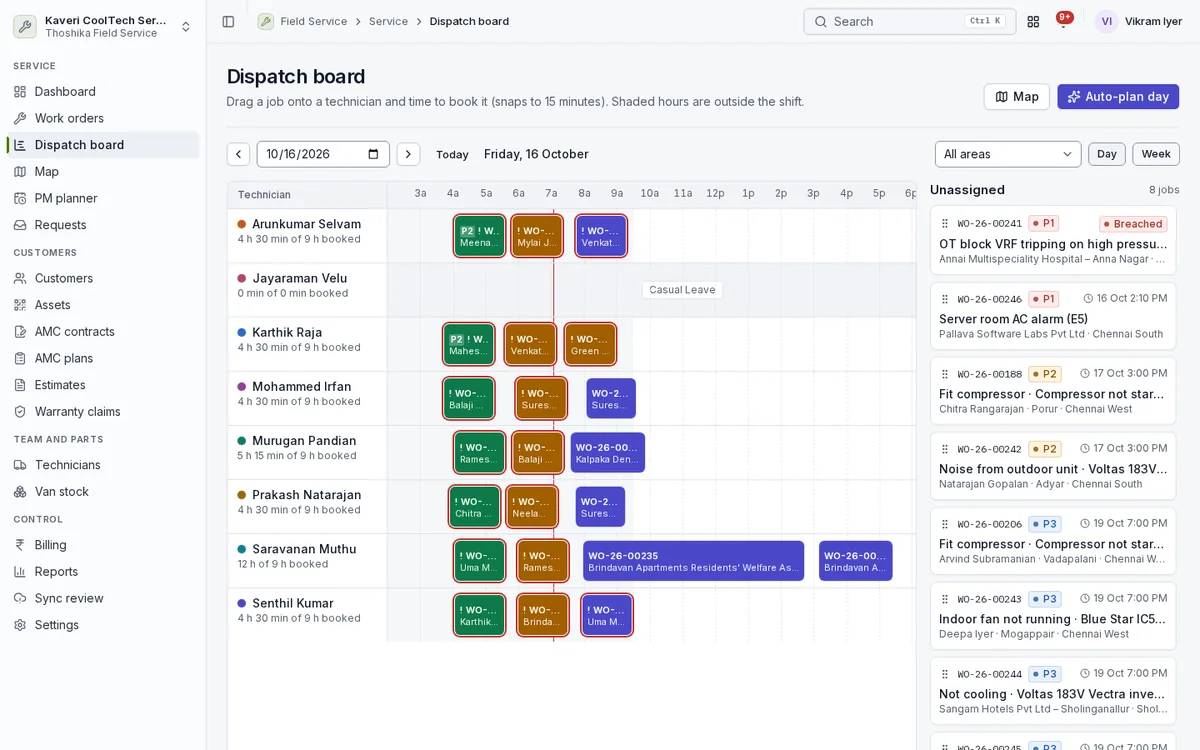
- Gantt dispatch board by technician with drag to assign and reschedule, showing shifts and leave
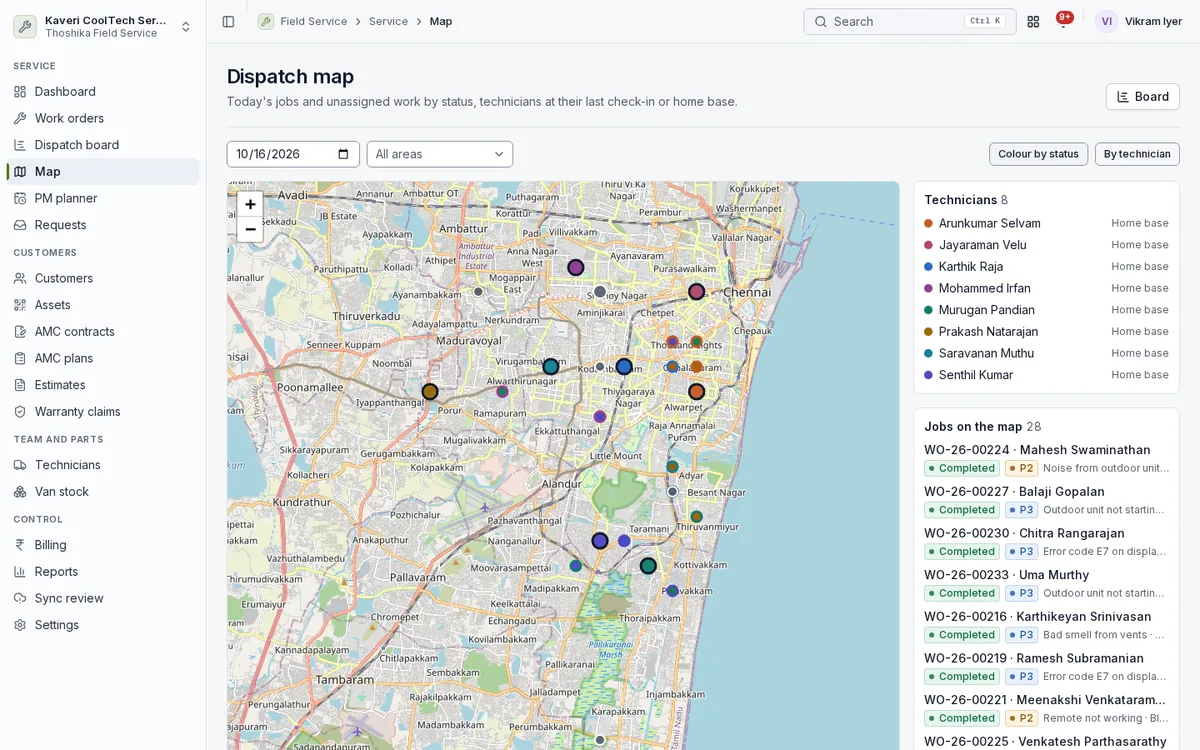
- Map of jobs and technicians on OpenStreetMap tiles, coloured by status or technician
- Assignment suggestions scored on skills, certification, area, shift, leave, load and travel
- Auto-plan for a day’s unassigned jobs and a nearest-first route per technician
- PM planner that groups due visits by site
Customers, sites and assets
Know where every installed unit is, what it is, and what cover it has.
- Customers with several service sites, map locations and access notes
- Installed assets with model, serial, install date, warranty and readings history
- QR asset tags that open the asset or a new job in the Thoshika app
- Assets registered from Books invoices or POS bills that sold serialised items
- CSV import of customers, sites and assets with a dry run
AMC plans and contracts
Sell, bill and deliver annual maintenance contracts without spreadsheets.
- Comprehensive and non-comprehensive plans with per-unit prices and exclusions
- Billing upfront, half-yearly, quarterly or monthly through Books
- Preventive visits spread across the term and generated as jobs
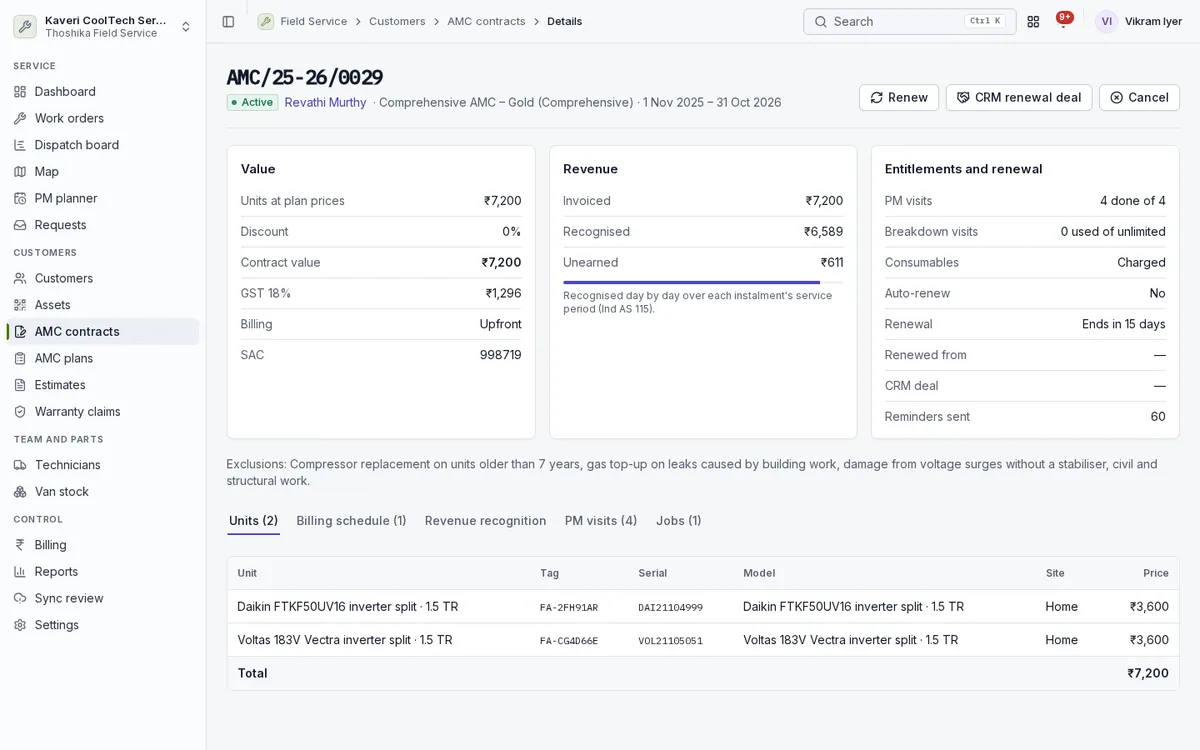
- Visits included and used, renewal reminders and CRM renewal deals
- Revenue deferred and recognised over the contract term
Estimates and warranty claims
Quote chargeable work and recover what manufacturers owe you.
- Estimates from the office or on site, with several options for the customer to choose from
- Customer acceptance in the portal before work starts
- OEM warranty claims from draft to settlement
- Recoveries booked in Books
Technicians and van stock
Manage the people in the field and the parts they carry.
- Technicians with skills, certifications, service areas and shifts from People
- Subcontractor technicians working alongside your own team
- A van warehouse per technician in the stock engine
- Van stock requests approved by a dispatcher and issued from the main warehouse
- Parts consumption by item, technician and coverage
- Technician incentives paid through payroll
Billing
Get paid for chargeable work and keep covered work costed.
- Books invoice from a completed job: labour, visit charge and parts
- Billing runs for AMC instalments
- Covered parts costed to AMC and warranty so stock and the ledger agree
- Job costing from technician cost rates and parts cost
- UPI QR or cash collection recorded in Books
Customer experience and portal
Keep customers informed and let them serve themselves.
- Email and WhatsApp click-to-chat messages for assigned, on the way and completed
- Live technician tracking link for the customer
- Portal for equipment, AMC contracts, service visits, invoices and estimates
- Service requests and ratings from the portal
- Customer messages and portal in Indian languages
Reports, sync review and settings
Measure service quality and keep offline data clean.
- First-time fix, SLA compliance, technician utilisation and revenue per technician
- AMC renewals due at 30, 60 and 90 days, deferred revenue and backlog ageing
- Sync review of changes made offline that need a decision
- Job types, SLAs, rate card, service areas and AMC plan settings