Finance and governanceProcurement

Requisitions, quotes, purchase orders and vendor onboarding, with three-way match against Books bills.

Procurement takes a purchase from an employee’s request to a paid bill. Requisitions are checked against budget and routed for approval, buyers compare sealed quotes on total cost, and purchase orders, goods receipts and bills live in Books. Vendors register, quote, acknowledge orders and upload invoices in their own portal.

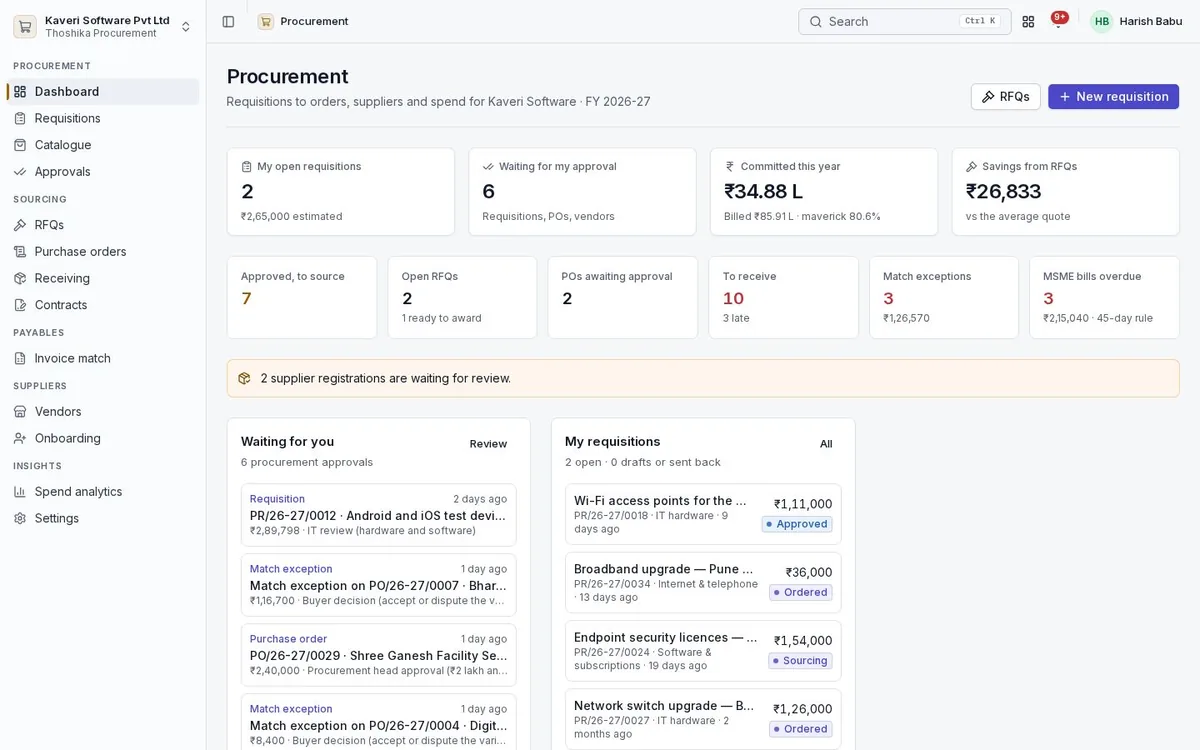
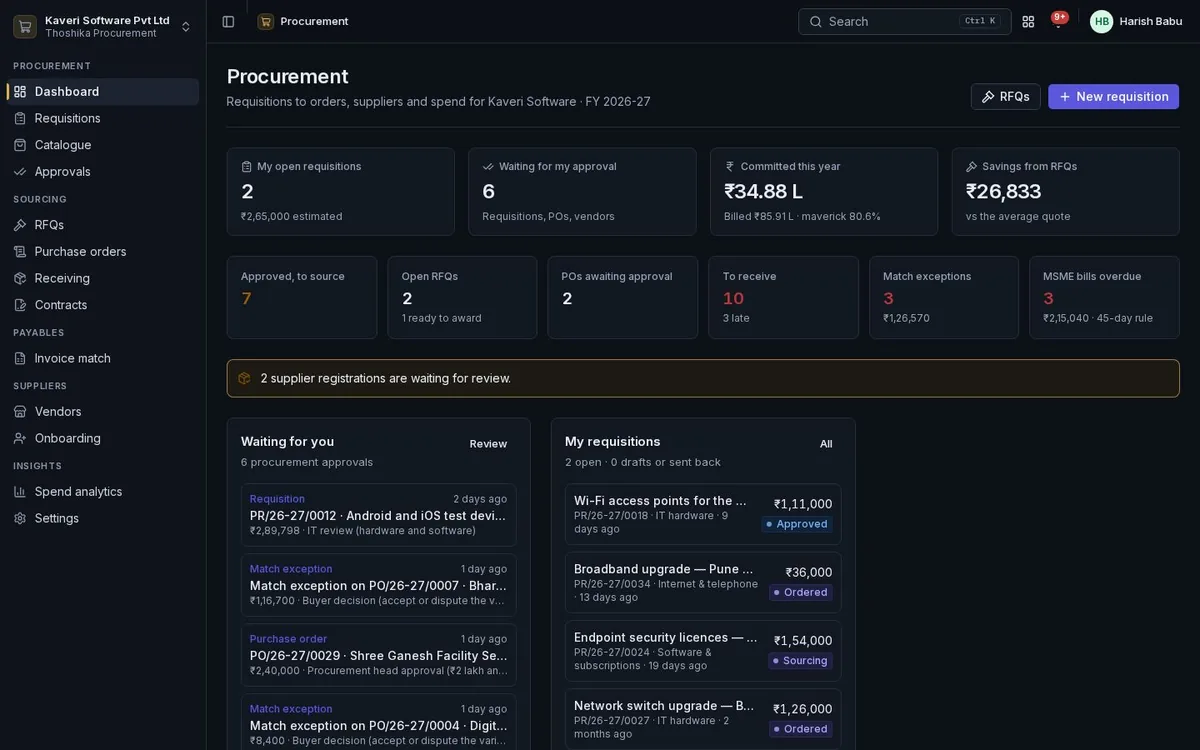
Procurement dashboard: open requisitions, approvals waiting, committed spend, match exceptions and MSME payments due.Procurement dashboard: open requisitions, approvals waiting, committed spend, match exceptions and MSME payments due.

Key capabilities

  • Requisitions with budget check
  • Conditional approval routing
  • RFQs with sealed bids and TCO scoring
  • Rate contracts and blanket orders
  • Three-way match with exceptions
  • Vendor onboarding and vendor portal
What it does

Procurement in detail

Requisitions and catalogue

Any employee can ask for what they need, from Books items, an internal catalogue or free text.

  • Cost centre, project, delivery location and justification on each request
  • Internal catalogues priced from rate contracts where they apply
  • Budget check against Books budgets, actuals and commitments
  • Warn, block or ignore when a request is over budget
  • Buying channel suggested: contract, catalogue, RFQ or direct

Approvals

Approval steps carry conditions, so each request goes only to the people it needs.

  • Steps by amount, category, cost centre, budget status or capital spend
  • Separate flows for requisitions, purchase orders, contracts and vendors
  • Small orders from approved requisitions approved automatically
  • Inbox on web and mobile, with delegation and reminders

Sourcing and comparison

Buyers invite vendors to quote and compare offers on more than price.

  • RFQs with closing time, terms and a minimum number of quotes
  • Sealed bids, visible to buyers only after closing
  • Total cost of ownership with non-creditable GST, freight, credit terms and lead time
  • Score combining cost, delivery and vendor rating
  • Award the whole RFQ or split by line; savings recorded

Orders and contracts

Purchase orders are Books documents; contracts set rates and caps for repeat buying.

  • Purchase orders from awards, requisitions, contracts or directly
  • Vendor acknowledgement with a committed date
  • Rate contracts, blanket purchase orders and service contracts
  • Release orders checked against value and quantity caps
  • Expiry and utilisation alerts

Receiving and three-way match

Goods receipts and bills are matched to the order, and breaches go to the buyer.

  • Receipts as Books goods receipts with a quality record
  • Price, quantity, missing receipt and tax checks with tolerances
  • Accept a variance, raise a debit note or ask the vendor to re-invoice

Vendors and spend

Vendor onboarding with structural checks, ratings from real receipts and spend reports.

  • Self-registration, invitation or buyer entry with document uploads
  • Duplicate checks on GSTIN, PAN, bank account and name
  • Ratings for quality, delivery and price over 12 months
  • Vendor portal for RFQs, orders, receipts, invoices and payments
  • Spend by category, vendor and cost centre, and off-PO spend
  • Savings, cycle times and MSME payment compliance
Built for India

Indian rules, built in

Vendor checks and cost comparison follow Indian tax rules. Checks are structural; a reviewer confirms them against uploaded documents.

How Thoshika handles Indian compliance

  • GSTIN checksum and state code, PAN format and PAN to GSTIN consistency
  • IFSC and Udyam number formats, with MSME type
  • GST counted in total cost only when input credit is not available
  • MSMED Act 45-day rule, interest and the year-end disallowance at risk
  • TDS section defaulted on the vendor and a PAN-inoperative flag
Who uses it

Roles in Procurement

Every person signs in once. Roles decide what they see, and can be limited to a location, branch or other scope where the app supports it.

Requester

Raises requisitions, follows their status and confirms receipt.

Approver

Approves requisitions, orders and contracts through the inbox.

Buyer

Runs RFQs, compares quotes, issues orders, handles receipts and match exceptions.

Procurement admin

Manages settings, categories, catalogue, contracts and vendor approval.

Vendor user

Quotes, acknowledges orders and uploads invoices in the vendor portal.

See Procurement with your own processes

Procurement is available on its own or as part of Thoshika One, with every app for every employee.